how it works
features
Photo SharingAlbumsDigital GuestbookAudio GuestbookSeating ChartShared PlaylistLive SlideshowRSVPRegistry SharingWedding Website
designs
Wedding Website TemplatesQR Code Sign Templates
resources
Made For WeddingsAbout UsBlogAffiliate ProgramVideo TutorialsContact Us
pricing

log in

Try Free Demo

how it works
features
Photo SharingAlbumsDigital GuestbookAudio GuestbookSeating ChartShared PlaylistLive SlideshowRSVPRegistry SharingWedding Website
designs
Wedding Website TemplatesQR Code Sign Templates
resources
Made For WeddingsAbout UsBlogAffiliate ProgramVideo TutorialsContact Us
pricing

log in

Try Free Demo

Create a Wedding Website That Does More Than Inform

Most wedding websites share information. Wedibox creates a wedding QR code that collects memories. Guests scan to RSVP, upload photos, leave voice messages, and access everything that makes your day special.

Build Your Wedding Website

See How It Works

Easy-to-use customizer

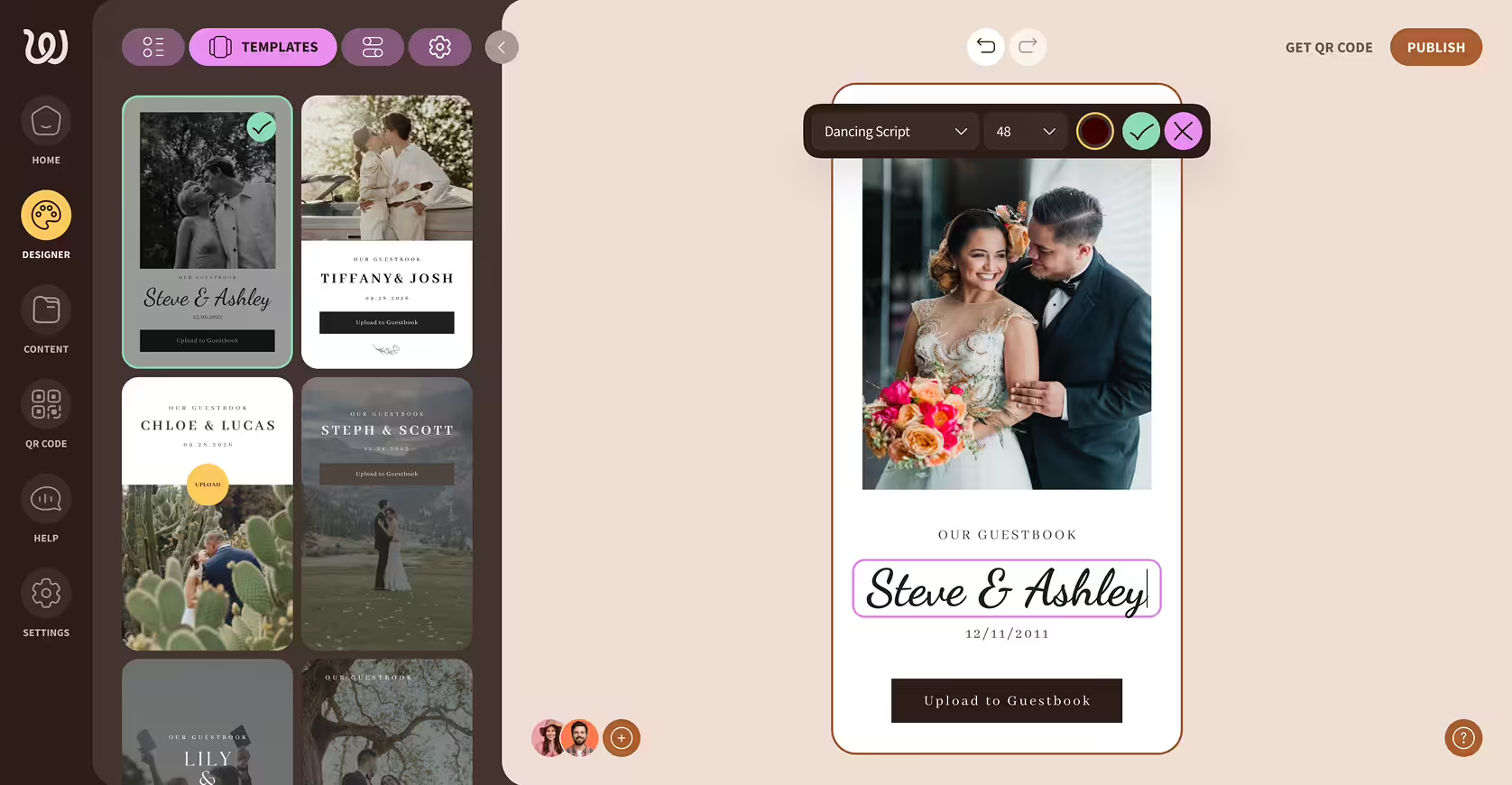
Wedding guestbook design editor showing a template with a bride in a white dress holding a colorful bouquet and a groom in a tuxedo embracing her, titled 'Steve & Ashley' with a date and upload button.Mobile screen showing a wedding guestbook entry page with a bride and groom photo, names Steve & Ashley, and a date of 12/11/2011, with font and color options below.

Easy-to-use customizer

Over 15 Page Templates

Over 15 Page Templates

What Can Guests Do with a Wedding Website QR Code?

Traditional wedding websites are digital brochures. Guests check the date, skim the schedule, and never return. Wedibox turns your wedding website into something guests interact with:

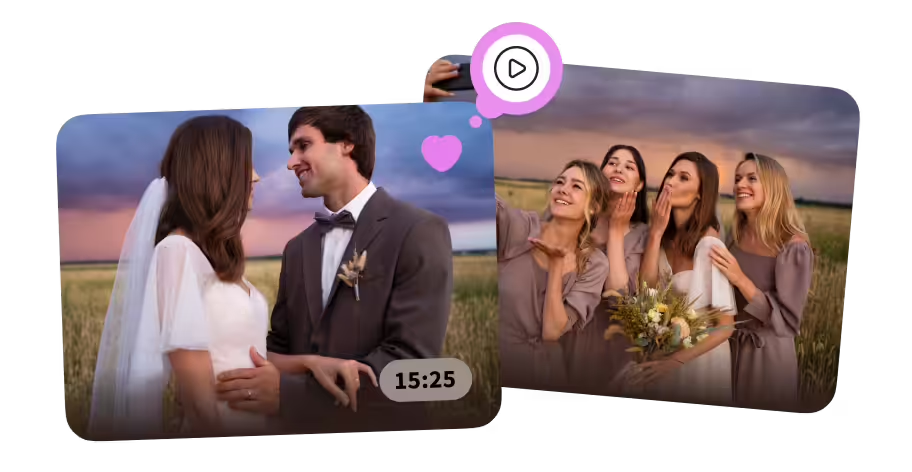
Bride and groom gazing at each other in a field at sunset, and bridesmaids smiling and posing for a selfie outdoors.

Upload photos and videos as moments happen

Explore Photo Sharing

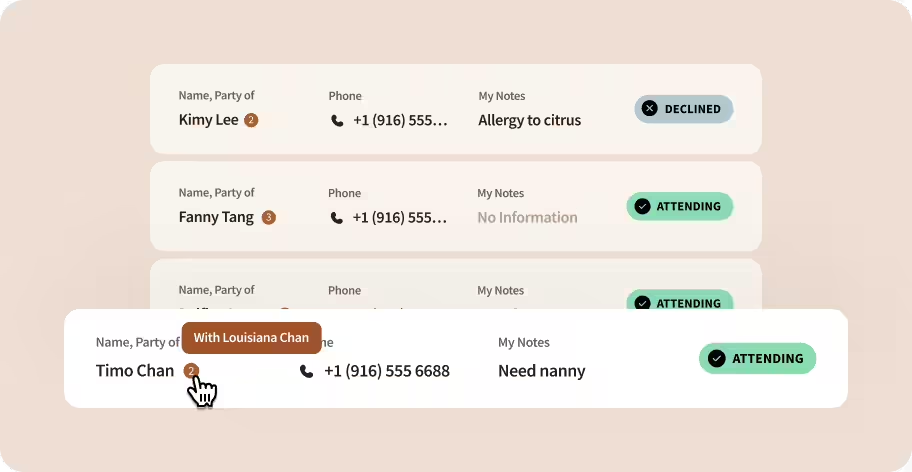
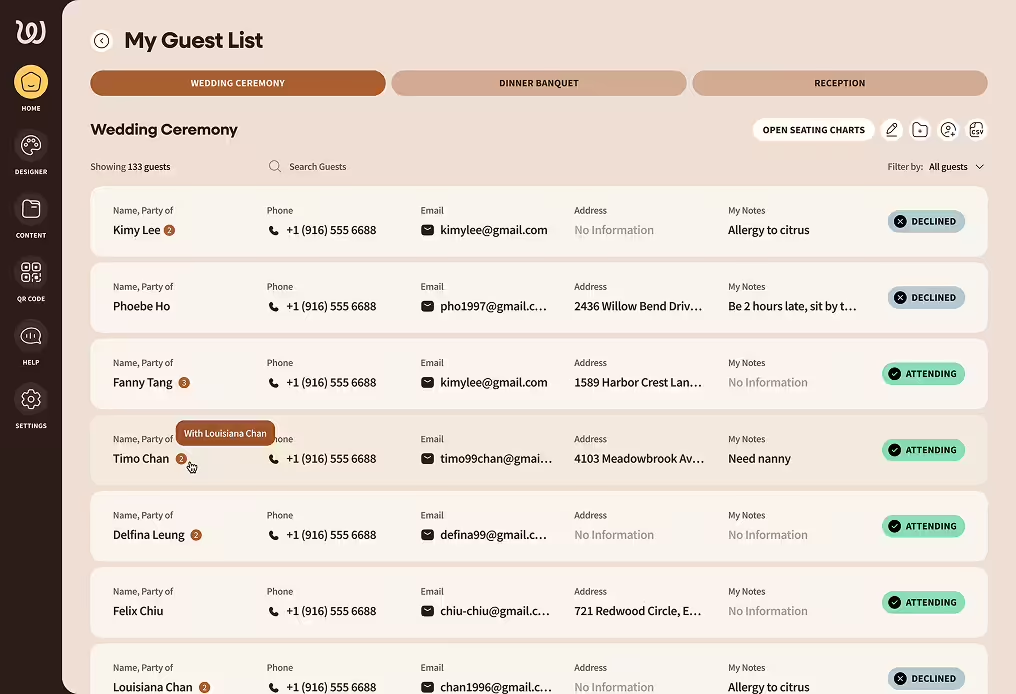
User interface showing a list of attendees with their name, party size, phone number, notes, and attendance status including declined and attending labels.

RSVP with meal choices and plus-one details

Explore RSVP Feature

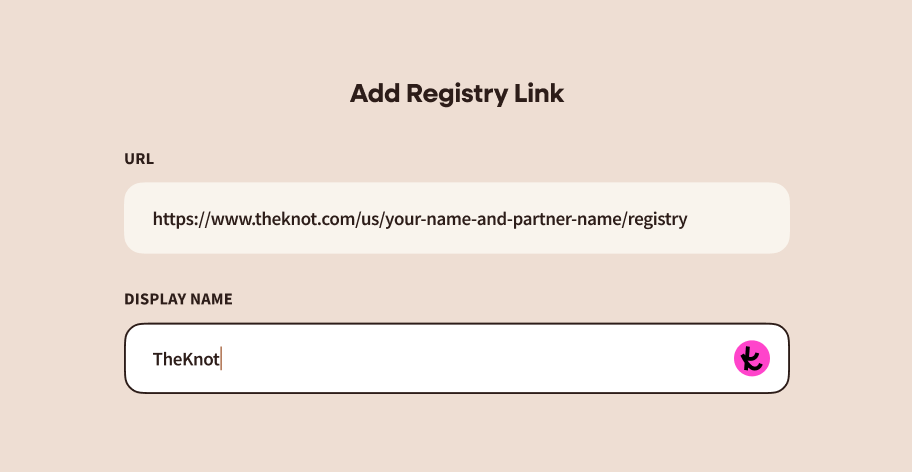
Form titled 'Add Registry Link' with fields for URL containing a sample The Knot registry link and a display name filled as 'TheKnot' with a pink icon on the right.

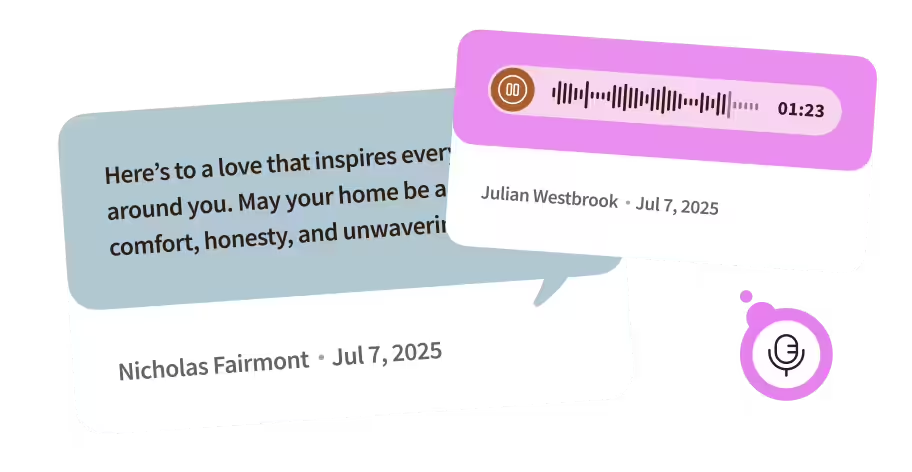
Leave voice recordings and written messages

Explore REgistry Links

Two overlapping speech bubbles: one with a text message about love and home by Nicholas Fairmont dated Jul 7, 2025, and the other showing an audio message with a waveform, duration 1:23, by Julian Westbrook dated Jul 7, 2025, along with a microphone icon.

Find your registry, seating chart, playlist, and venue details

Explore Digital Guestbook

Your Wedding QR Code turns the website into the home for everything. You collect memories without asking twice.

Why Couples Are Done With Static Wedding Websites

The old approach creates more work, not less. You build a website, guests glance at it, and then you still end up:

Chasing guest photos weeks after wedding

Tracking RSVPs across cards, messages, emails

Re-sending registry links again and again

Guestbook left blank, barely touched

Hunting promised videos across endless chats

Wedibox eliminates the chasing. Everything flows to one place. Guests contribute because contributing takes seconds.

Wedibox Provides More Than a Pretty Wedding Website

Guest Photo and Video Uploads

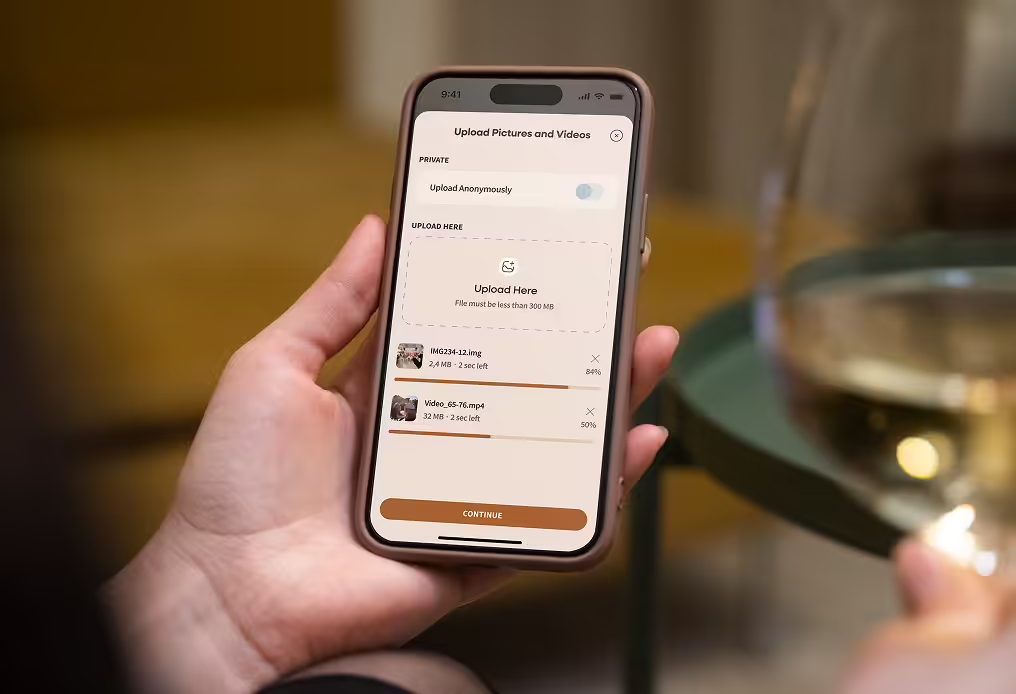
You'll spend half your wedding being photographed. Meanwhile, your college roommates are capturing the moment your dad tried to breakdance. Those photos matter. Make sure you get to see them.

  • Unlimited uploads in high-quality resolution
  • Guests scan and share from their phones instantly
  • Organize photos into albums by moment
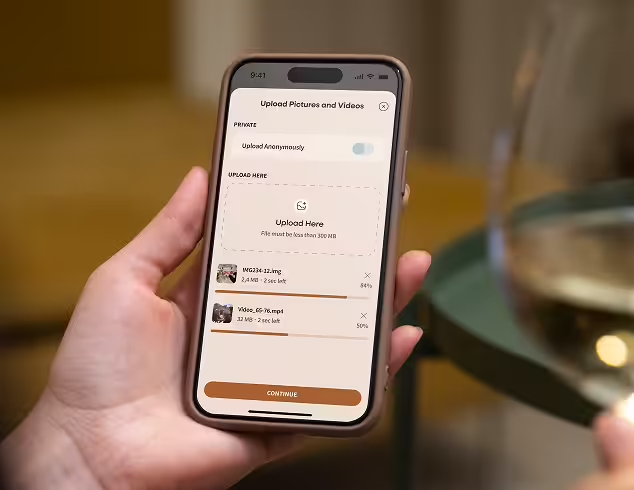
Hand holding a smartphone displaying an app interface for uploading pictures and videos with progress bars for two files.Hand holding a smartphone displaying a file upload screen with two files uploading and a 'Continue' button.
QR Code for Wedding Websites

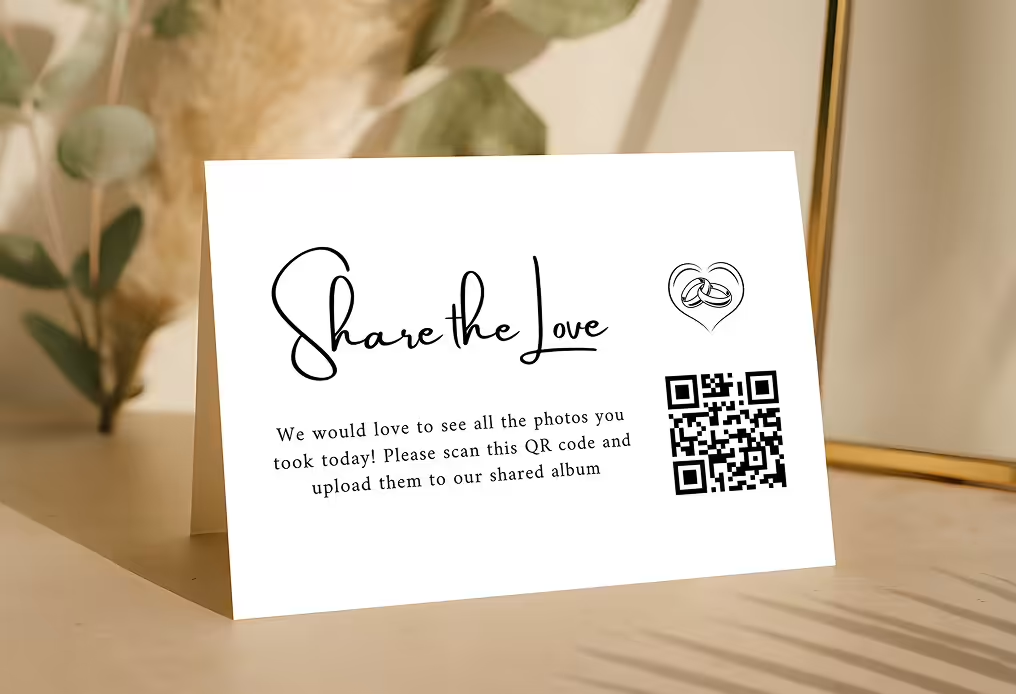
Your aunt won't type a URL. Your cousin won't download an app. But everyone knows how to point a phone at a QR code and tap the link that appears.

  • Any smartphone camera works
  • Short URL link also available
  • Opens instantly, no signup required
Hand holding a smartphone displaying an app interface for uploading pictures and videos with progress bars for two files.Hand holding a smartphone displaying a file upload screen with two files uploading and a 'Continue' button.
RSVP Collection That Stays Organized

The spreadsheet with nine tabs and three conflicting versions of who's bringing a plus-one? You don't need it. Responses arrive, organize themselves, and stay accurate.

  • Personalized RSVP forms with custom questions, meal selections, and plus-one tracking
  • Real-time status updates on who’s attending and who hasn’t responded
  • Group guests into households, families, or parties
  • Export a clean list to send to your vendors
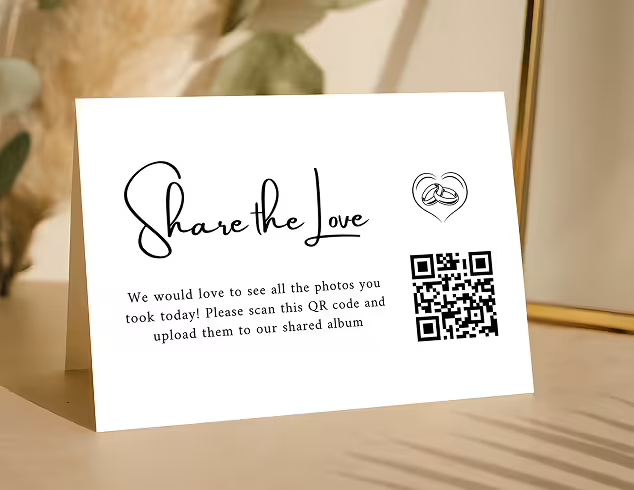
Table card reading 'Share the Love' with a heart and wedding rings illustration and a QR code inviting guests to upload photos to a shared album.Table tent card with text 'Share the Love' requesting guests to scan a QR code to upload photos to a shared album, featuring a heart with wedding rings icon.
Audio Guestbook Built In

Your best friend's voice cracking mid-toast. Your grandmother singing the blessing she learned from her mother. An audio message from your cousin who couldn't find the right words but tried anyway.

  • No expensive rental phones required
  • Guests record straight from their phone
  • Saved forever alongside your photos
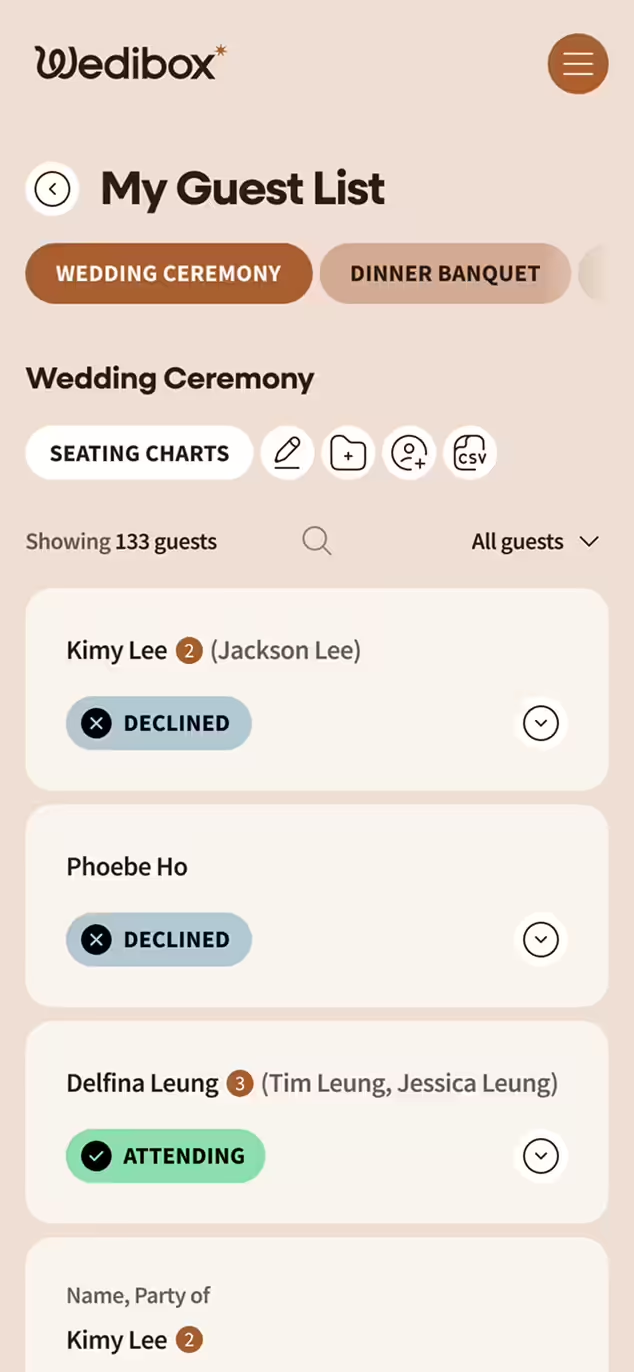
Digital wedding guest list interface showing names, phone numbers, emails, addresses, notes, and RSVP status for the Wedding Ceremony section.Wedibox wedding guest list app screen showing names, attendance status with declined and attending tags, and party sizes for a wedding ceremony.
Written Messages and Guestbook Entries

"Congrats! Love you guys!" is what paper guestbooks get. Digital guestbooks get the story of how your dad knew you'd found the one, written at 11pm while the band played your song.

  • Every upload can include a caption
  • Submit text without uploading anything
  • Messages are private and only accessible to the hosts
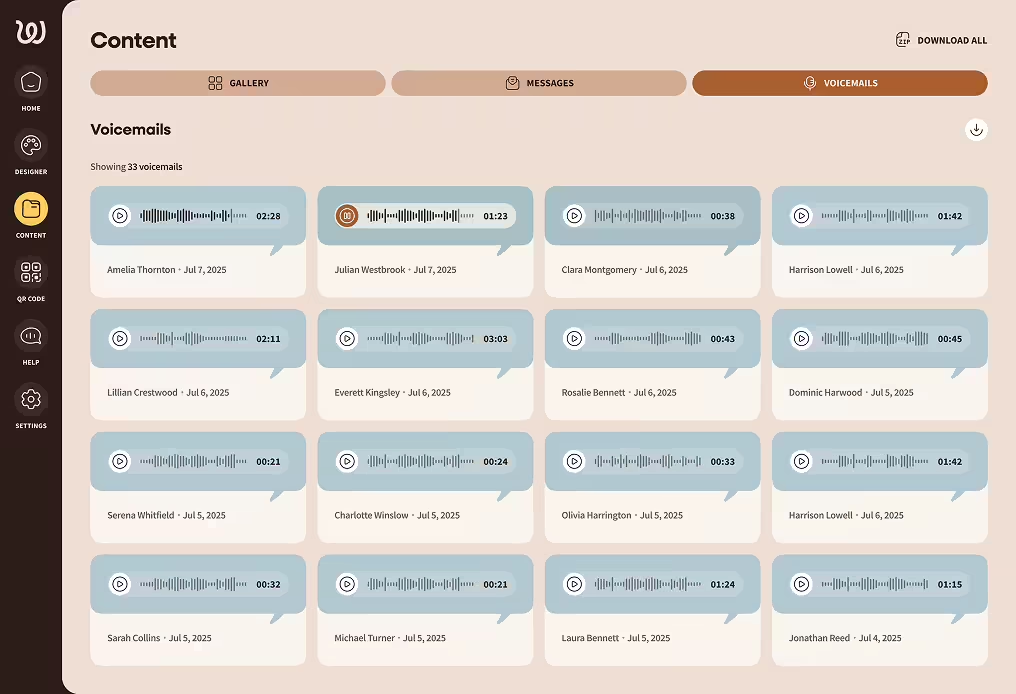
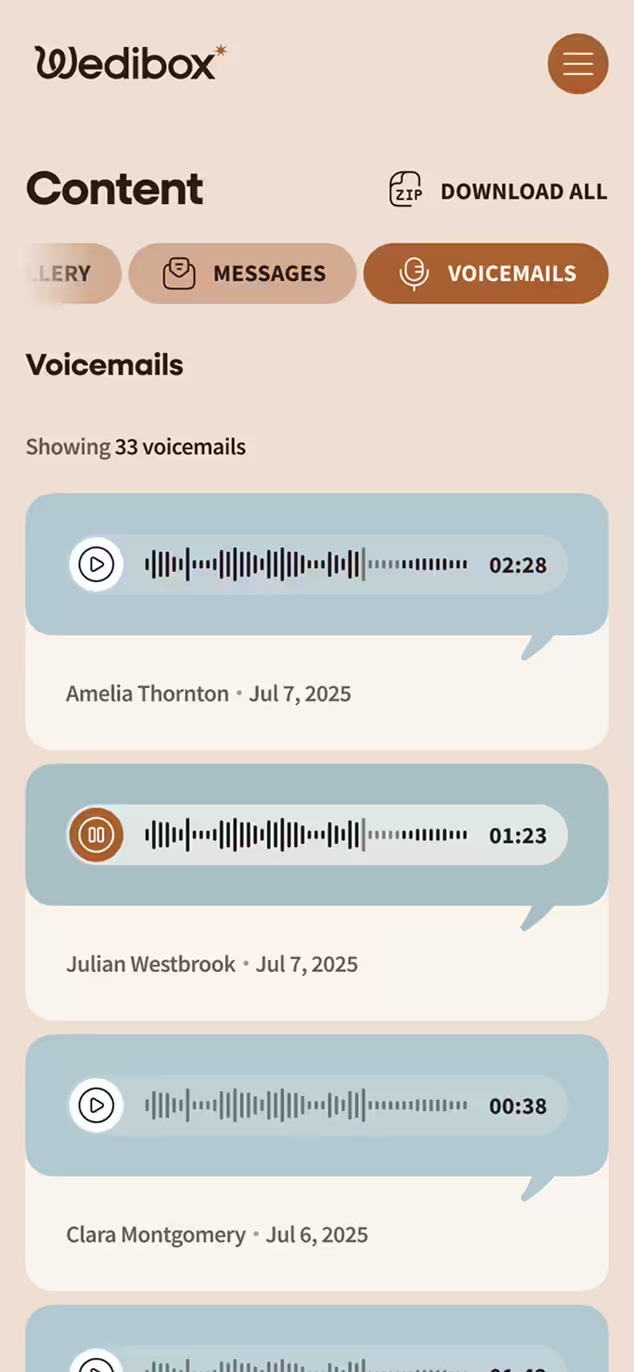
User interface screen showing a digital guestbook with 15 voice message entries with audio waveforms, play buttons, durations, and datesWedibox voicemail interface showing a list of voicemail messages with play buttons, durations, and sender names
Live Slideshow During Your Reception

Someone uploads a photo of the groom crying during vows. Ten seconds later, it's on the big screen. The room erupts. Suddenly everyone's scanning the QR code.

  • Photos hit the screen within seconds
  • Builds itself while you're enjoying your wedding day
  • Runs on any TV, monitor, or projector
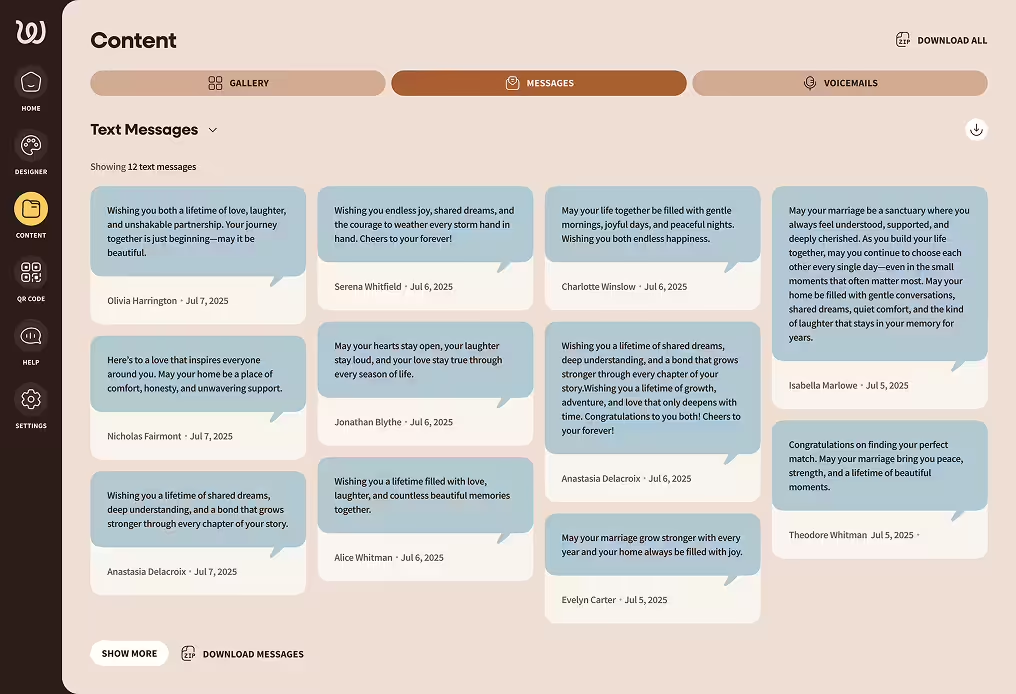
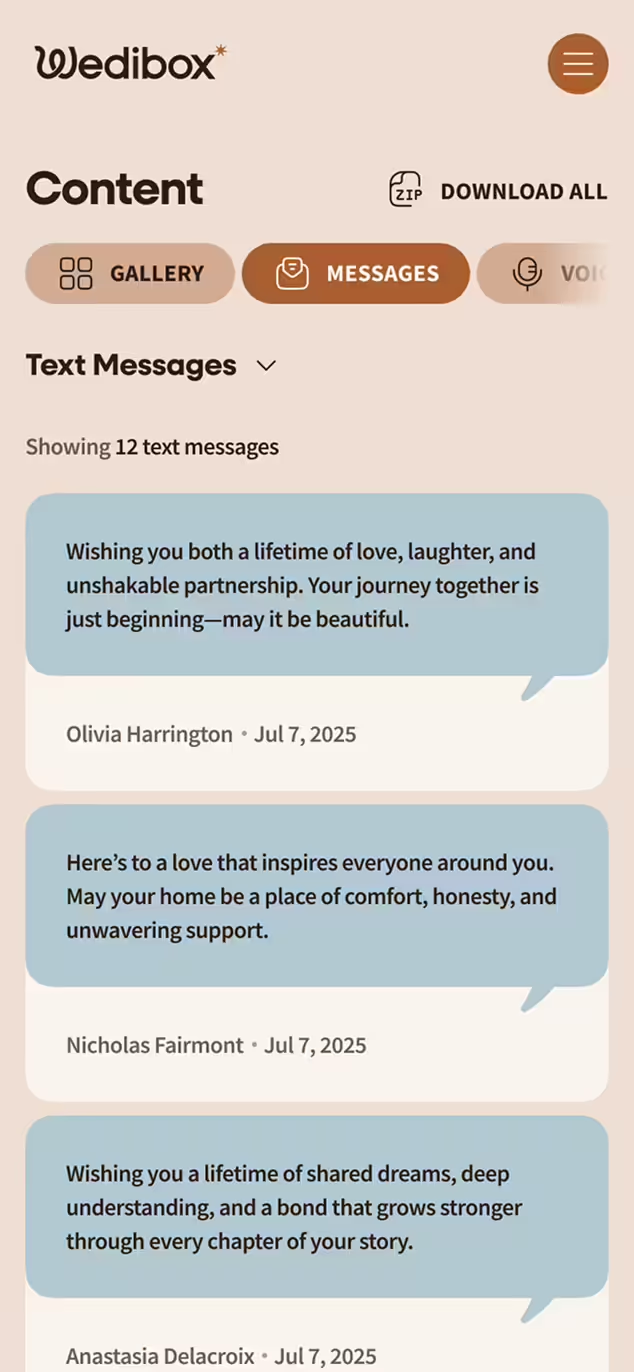
Screenshot of a digital guestbook platform displaying a Messages tab with 12 text messages congratulating couples on their marriage, each with sender names and dates.Wedibox app screen showing a digital guestbook filled with guest messages with heartfelt wishes for love, laughter, and partnership
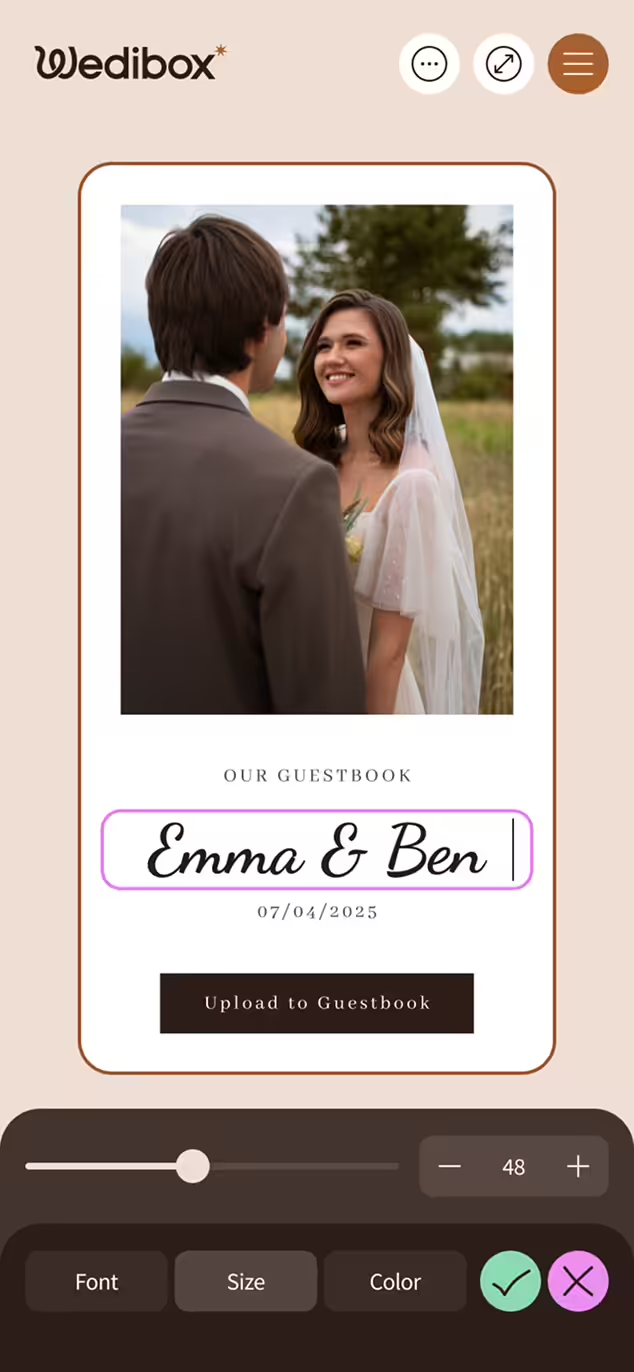
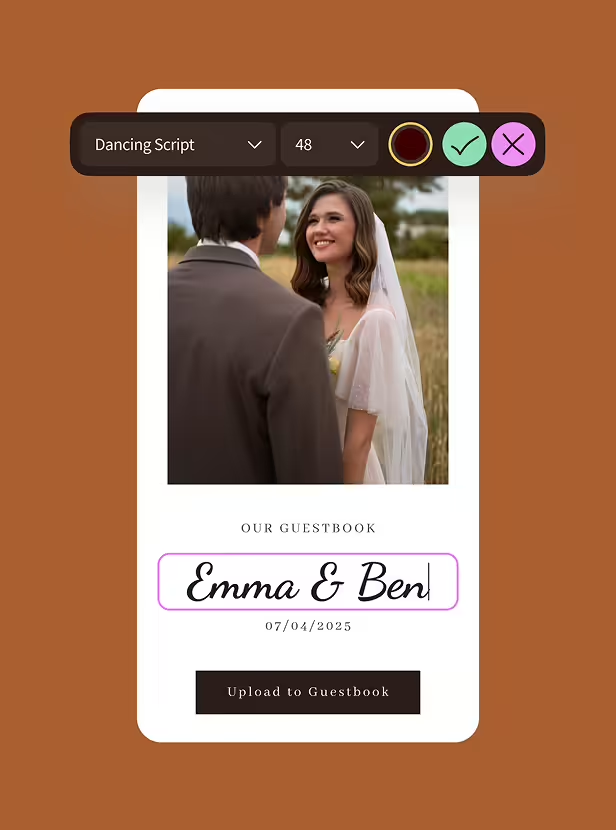
Design That Matches Your Wedding

Templates that look like they were built for 10,000 couples feel like it. Your website should look like you made choices, not like you filled in blanks.

  • Layouts designed specifically for weddings
  • Select colors and fonts that match your invitation suite
  • Add your photos and your words
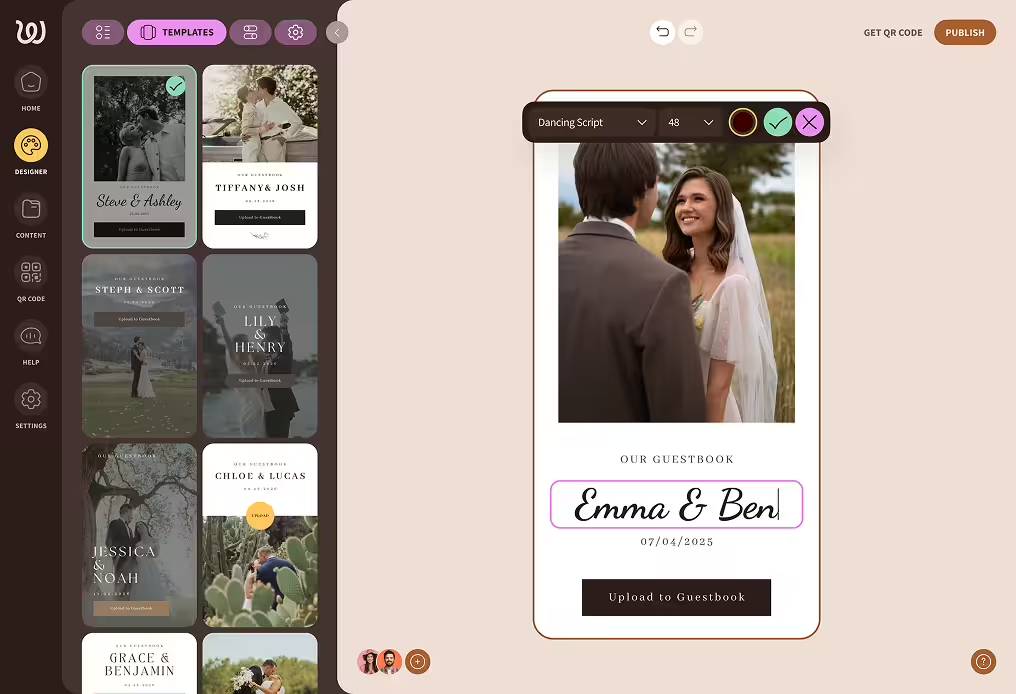
Wedding guestbook design interface showing photo of bride and groom with editable text 'Emma & Ben' and date 07/04/2025.Mobile screen showing a digital wedding guestbook interface with a photo of a bride and groom, names 'Emma & Ben,' and a button labeled 'Upload to Guestbook.'
Multi-Language Support

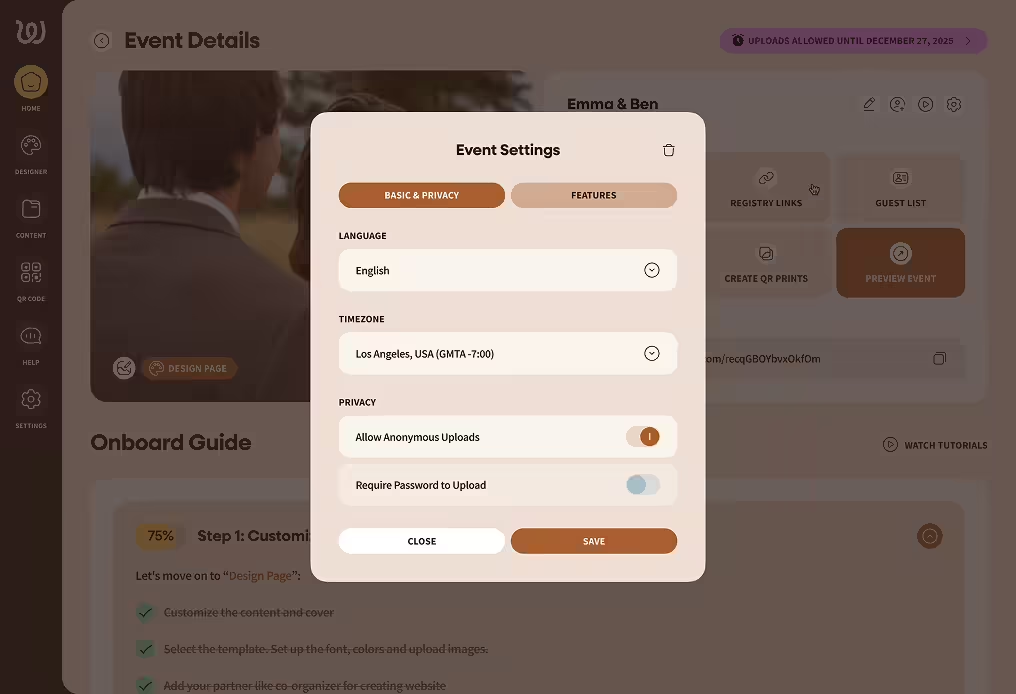
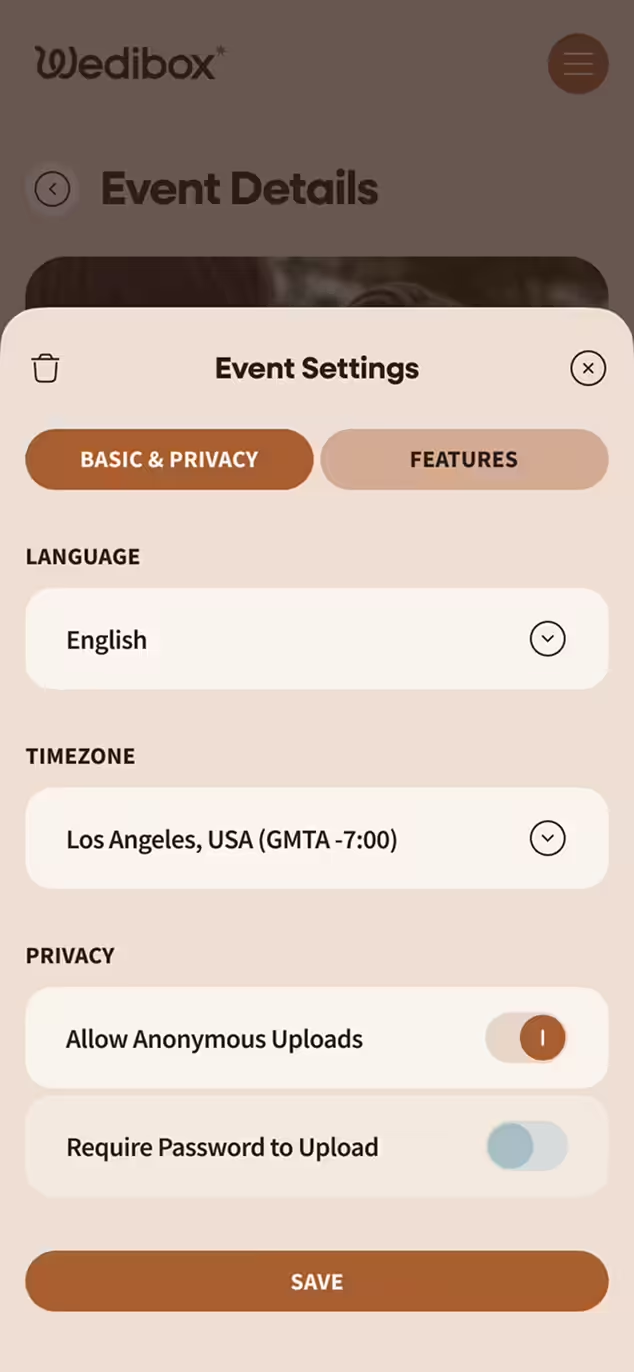
Your partner's family flies in from abroad. Your coworkers speak three languages between them. Everyone should feel welcomed, not confused by English-only instructions.

  • Select guest language preferences
  • Supports international guests with 15+ languages
  • Perfect for destination weddings
User interface showing Event Settings menu with language set to English, timezone Los Angeles, privacy options to allow anonymous uploads enabled and password upload disabled, and buttons to close or save.Mobile screen showing Wedibox Event Settings with Basic & Privacy tab selected, Language set to English, Timezone to Los Angeles (GMT-7), privacy toggles for allowing anonymous uploads enabled and requiring password to upload disabled, and a Save button.
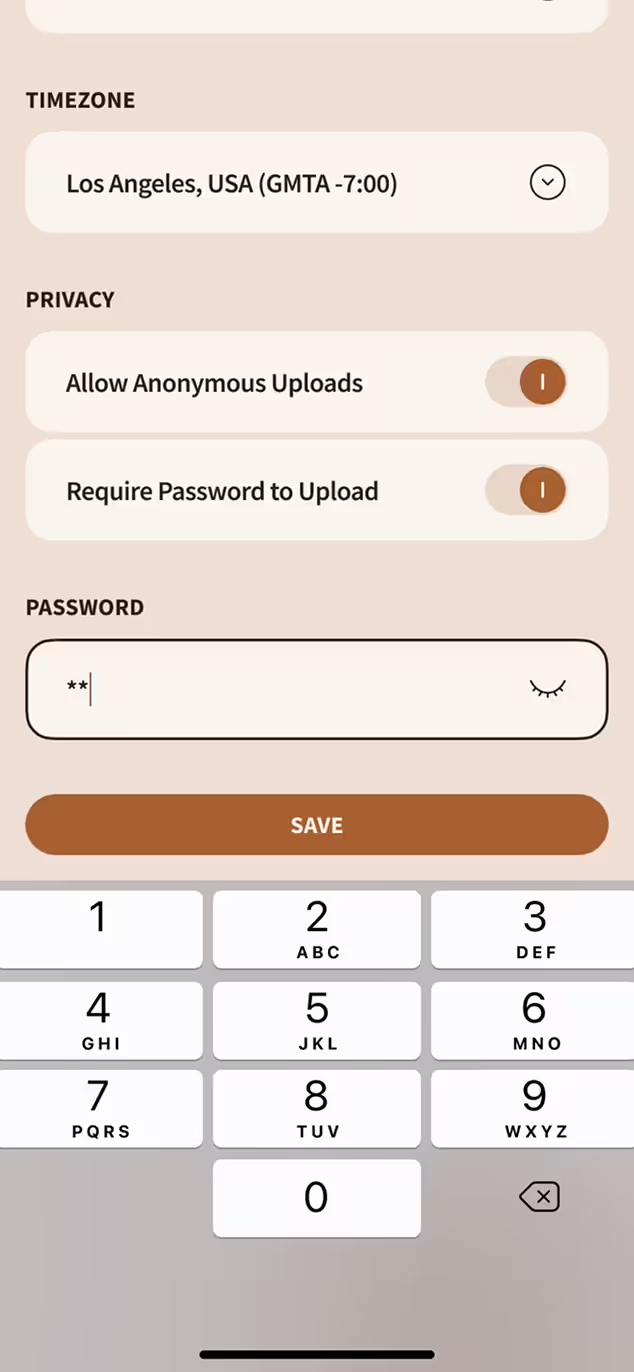
Privacy You Control

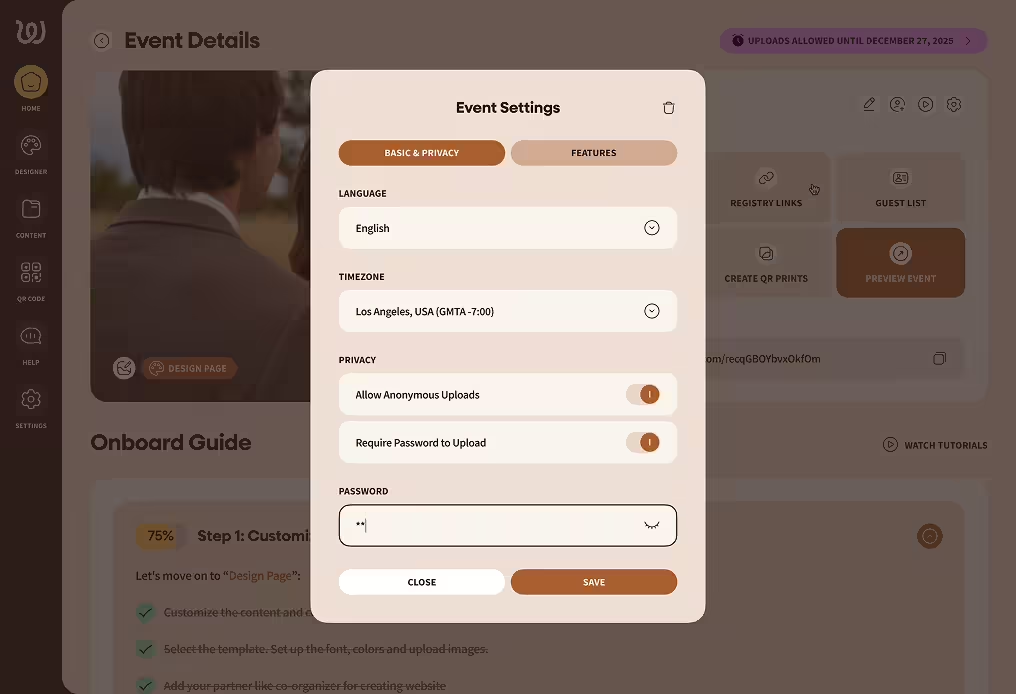
Your wedding photos aren't content. They're memories. They stay private until you decide otherwise, and you can change your mind anytime.

  • Password-protect if you want extra security
  • Delete anything from your dashboard instantly
  • Nothing public unless you make it public
Event Settings window showing language set to English, timezone set to Los Angeles GMT-7, privacy toggles for anonymous uploads and password requirement, and a password input field with obscured characters.Mobile app screen showing timezone set to Los Angeles, USA (GMT-7:00), privacy options for anonymous uploads and password protection enabled, password input field with masked characters, and a numeric keyboard at the bottom.

How to Easily Set Up Your Wedding Website + QR Code

The whole process is faster than a cake tasting and doesn’t involve any paperwork!

Digital guestbook interface with a photo of a smiling bride and groom, text input labeled 'Emma & Ben', and a date 07/04/2025 with an upload button below.

Create Your Wedibox Page

Enter your names, date, and basic details. The setup wizard handles the rest.

Choose Website TEmplate

Event Settings menu with toggles for features including Digital Guestbook, Collect Photos, Collect Videos, Collect Messages, Seating Chart, Playlist, and Collect Voicemails, with Save and Close buttons.

Add Your Features

Turn on RSVP collection, photo uploads, audio guestbook, registry links - whatever you need. Skip what you don't.

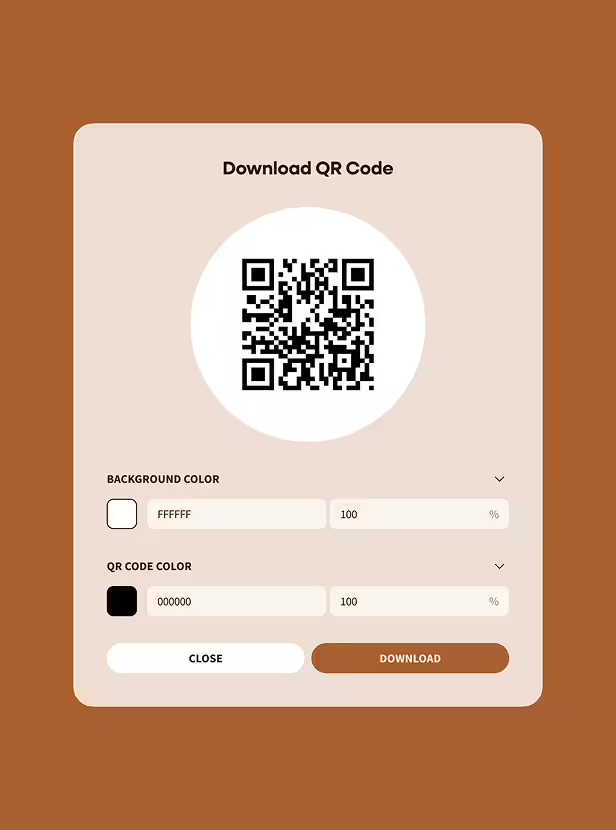
User interface screen to download a wedding QR code with options to adjust background color and QR code color, plus Close and Download buttons.

Customize the Look

Upload photos, write your welcome message, adjust colors to match your wedding palette.

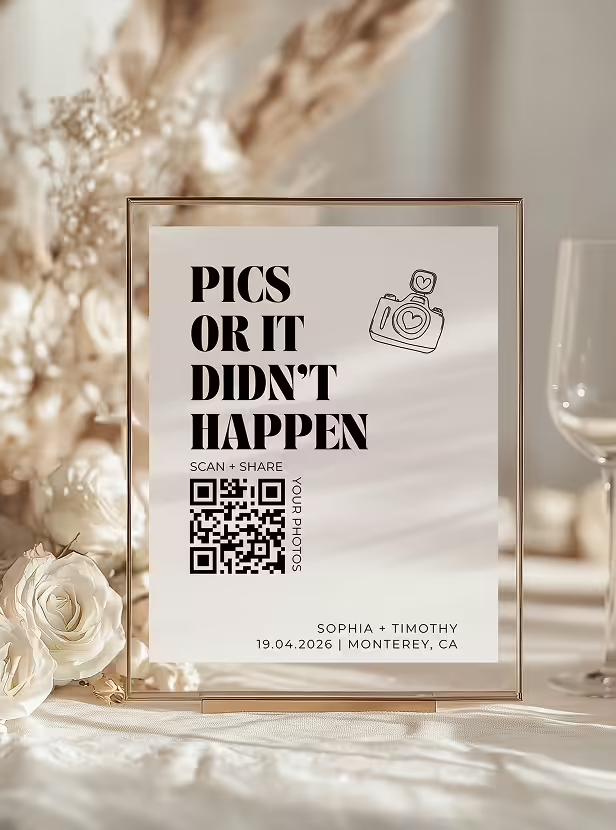
Table sign with text 'Pics or it didn't happen,' a camera icon, a QR code, and names Sophia and Timothy with date and location details.

Generate Your QR Code

Wedibox automatically generates your QR code or short link. Download it, print it, share it.

Explore QR Printables

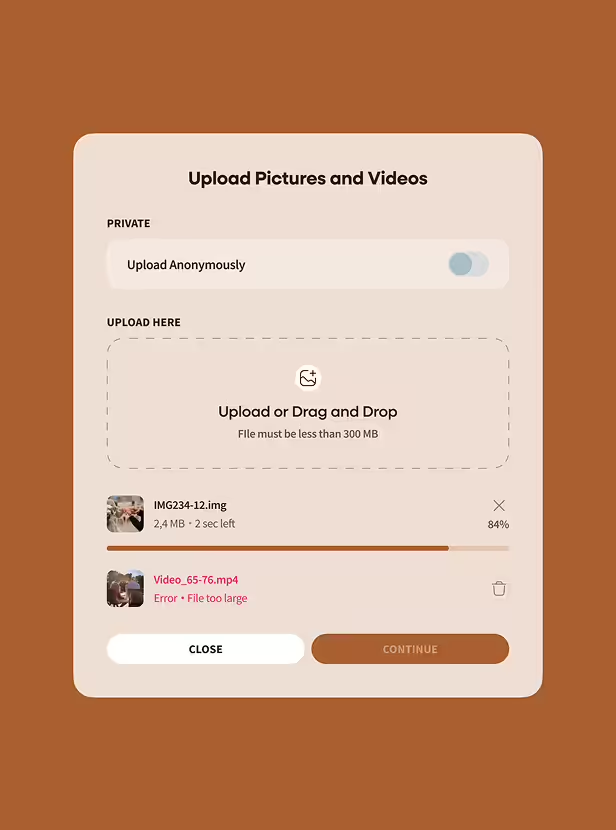
Upload interface showing option to upload pictures and videos anonymously with progress bar at 84% for one file and an error message indicating another video file is too large.

Guests Start Contributing

RSVPs arrive. Photos upload. Voice messages record. Your wedding website becomes a living collection of everything your guests want to share.

Browse all templates

Your Wedding QR Code Works Before, During, and After

The same QR code handles every stage of your wedding:

Share your schedule and venue details weeks before the event

Collect RSVPs and track responses as they arrive

Share your registry or honeymoon fund

Gather photos from cocktail hour through the last dance

Send a post-wedding thank you with photo highlights attached

Pricing That Respects Your Wedding Budget

Wedibox keeps pricing simple and wedding-friendly. Pick what you need, pay once, and use it on your special day.

Try it for free

Build your wedding website and test core features without entering a credit card.

Pay Once, Keep Forever

Upgrade when you're ready. Unlimited uploads, full RSVP management, audio guestbook, lifetime storage.

Transparent Costs

The price you see is the price you pay. Guests don't pay to upload. You don't pay hidden fees to download.

Whether a small ceremony or a multi-day destination wedding, Wedibox fits the plan and stays a one-time payment rather than a monthly subscription.

Wedding Websites Built for People Who Don't Like Reading Instructions

Wedding tech fails when guests can't figure it out. Wedibox removes every barrier.

Setup takes minutes

Click, type, customize, done. The interface assumes you've never built a website before.

Guests skip the app store

Everything runs in a browser. Scan the QR code, tap the link, start participating.

Works on every device

iPhones, Androids, tablets, desktops. The experience adapts automatically.

Language adapts to guests

International visitors see instructions in their language.

Grandparent-tested

If they can take a photo, they can upload it.

With Wedibox, it’s easy for you to manage, and easy for guests to enjoy.

Which is Better? Wedibox or Traditional Wedding Websites

Feature

QR Code for Website

Guest Photo Uploads

Audio Guestbook

Live Slideshow

Custom RSVP Forms

Registry Integration

Wedibox

The Knot

Minted

Zola

Wedibox goes beyond wedding info — it captures your memories, too.

100,000+ Couples Have Built Their Wedding Website on Wedibox

Over 500 amazing shots

Our guests loved scanning the QR code and uploading photos throughout the night. We ended up with over 500 amazing shots before the night even ended.

Emily & Chris, San Diego

Wedibox replaced our need

Wedibox replaced our need for a wedding website and guestbook. The audio messages were a beautiful surprise.

Maya & Daniel, Toronto

Everything in one place

We used Wedibox for our RSVP, photo sharing, and seating chart. Everything in one place—it made planning so much easier.

Priya & Sameer, London

Five Tips Get More From Your Wedding Website

Tip 1

Print QR codes on cocktail napkins

Guests hold drinks. Guests hold phones. Put your code where both meet.

Tip 2

Use the website as your “single source”

Add schedule, addresses, maps, and hotel info to limit questions.

Tip 3

Turn on uploads before the weekend

Engagement party, shower, and welcome dinner photos stay together.

Tip 4

Add short prompts on the upload page

“First selfie with us” or “Best dance floor photo” boosts participation.

Tip 5

Update the homepage after the wedding

Replace the welcome with a thank-you and point guests to the gallery.

Frequently Asked Questions

Can I include RSVPs and registry links?

Yes. Wedibox handles RSVP collection, registry links, schedules, directions, and everything else you'd put on a wedding website.

How long do you store photos?

Forever. Wedibox includes lifetime photo and video storage for every wedding — no expiration dates, no forced upgrades, and no surprise extension fees.

Is my wedding website private?

Completely. Only guests with your QR code or link can access it. Add a password for extra privacy if you want.

Can I delete or hide photos guests upload?

Yes. You control everything from your dashboard. Remove anything you don't want displayed.

Is there a limit to how many photos guests can upload?

Unlimited. Guests can upload as many photos and videos as they want.

Can guests use the site without scanning the QR code?

Every Wedibox page includes a short URL you can text, email, or add to your printed materials.

Your Wedding Website Should Do More Than Inform

A website that only lists times and addresses gets forgotten. Wedibox turns your wedding website into the place guests keep coming back to. Collect precious memories and turn your wedding website into a home for everything.

Build Your Wedding Website

Wedibox Setup Guide

Still Wondering If It's Right for You?

Explore all features or reach out to us — we're here to help.

Main

  • Pricing
  • how it works
  • Partner Program
  • Made For weddings
  • Blog
  • reviews

Company

  • About Us
  • Contact Us
  • Cookie Policy
  • Cookie settings
  • Terms & Conditions
  • Privacy Policy
Wedibox logotype light

© 2026 Wedibox LLC All rights reserved

Your Cookie Preferences

We use cookies to ensure the proper functioning of our website and to provide you with the best possible user experience. Cookies help us understand how visitors interact with our site, allowing us to analyze traffic, improve performance, and remember your preferences. Some cookies are used to deliver personalized advertisements tailored to your interests. You can choose to accept all cookies, reject unnecessary ones, or customize your preferences at any time. For more information about the types of cookies we use and how we process your data, please review our Cookie Policy and Privacy Policy.

Accept All

Reject All

customize Cookies

Choose Your Cookies

Necessary (always active)

Essential for site functions like login and cart.

Analytics

Show us what’s popular to improve the site.

Marketing / Ads

Help display relevant offers and ads.

Functional / Preferences

Remember choices like language.

Reject All

Accept All

Save my choices

Your Request Has Been Saved

Your personal information will not be sold.

Undo

OK

Let's Get Started

Your wedding QR code for everything that matters.

Thanks for Your Message, John

We’ll contact you soon to explore opportunities.

Oops! Something went wrong while submitting the form.

Error:

Continue

Already have an account? Sign In or Try Our Demo