

how it works
features
Photo SharingAlbumsDigital GuestbookAudio GuestbookSeating ChartShared PlaylistLive SlideshowRSVPRegistry SharingWedding Website
designs
Wedding Website TemplatesQR Code Sign Templates
resources
Made For WeddingsAbout UsBlogAffiliate ProgramVideo TutorialsContact Us
pricing

log in

Try Free Demo

how it works
features
Photo SharingAlbumsDigital GuestbookAudio GuestbookSeating ChartShared PlaylistLive SlideshowRSVPRegistry SharingWedding Website
designs
Wedding Website TemplatesQR Code Sign Templates
resources
Made For WeddingsAbout UsBlogAffiliate ProgramVideo TutorialsContact Us
pricing

log in

Try Free Demo

A Wedding Slideshow That Builds Itself While You Celebrate

Guests scan your QR code and upload from their phones. Seconds later, those photos appear in your live slideshow. By the end of the day, you have a running highlight reel you didn’t chase, sort, or request.

Create Your Slideshow

How To Set It Up

Updates Automatically

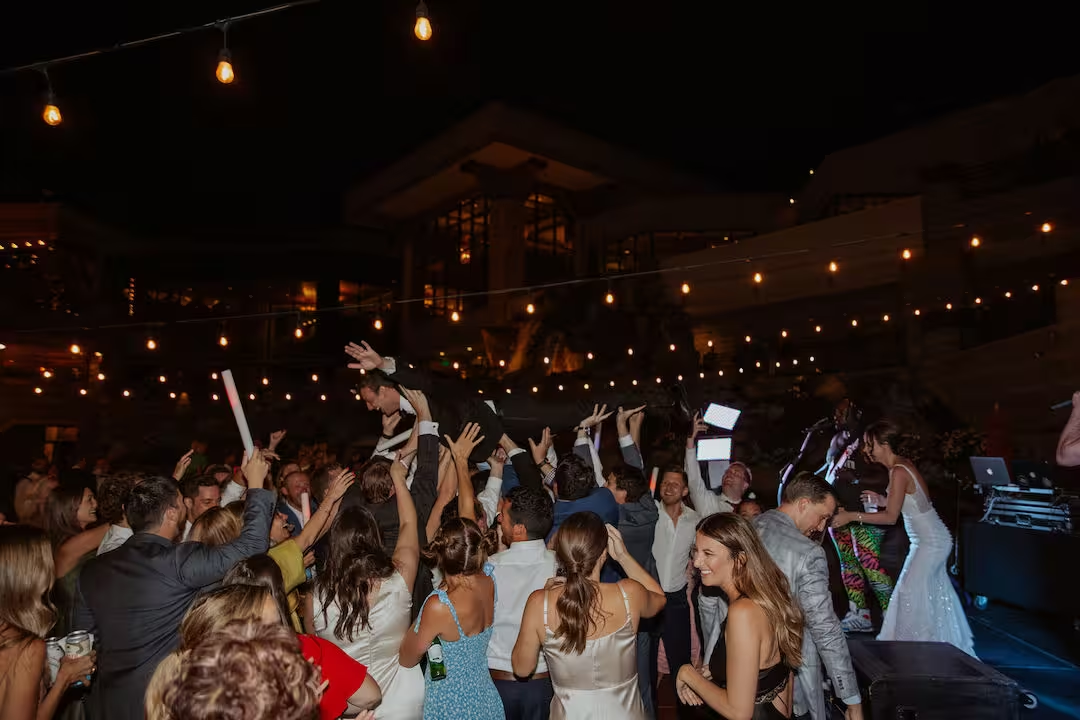
Man in a tuxedo leaning back while dancing limbo at a wedding reception with guests cheering around him.Man in a tuxedo leaning back while dancing limbo at a wedding reception with guests cheering around him.

Updates Automatically

Compatible with projects and TVs

Compatible with projects and TVs

Your Day Moves Fast. Show It In Real Time With A Wedding Slideshow.

Traditional slideshows require weeks of photo gathering and editing. You chase guests for files, drag images into folders, and hope you finish before the honeymoon.

With Wedibox, guest photos and videos can appear as they’re uploaded, turning any screen into a running stream of the night. Plug in a TV or projector, switch it on, and let the story build itself through everyone’s cameras.

How the Live Slideshow Works

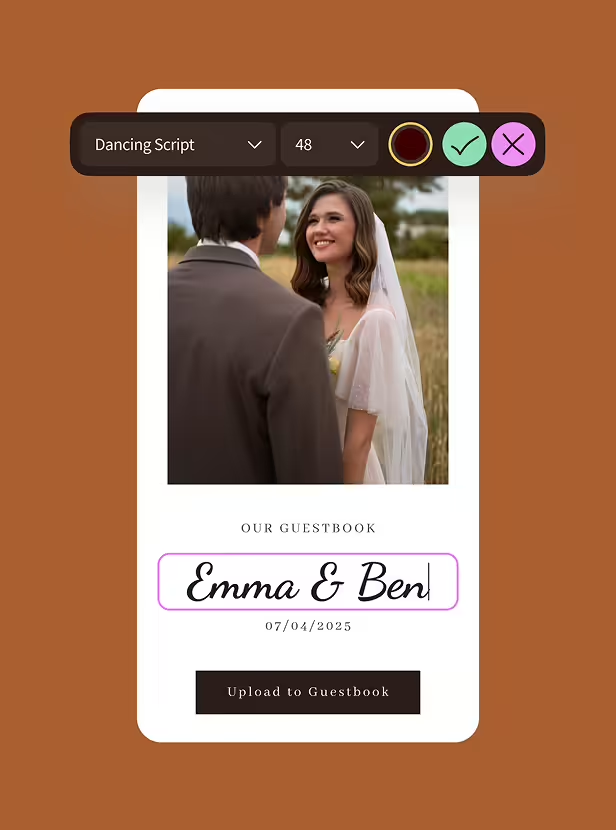
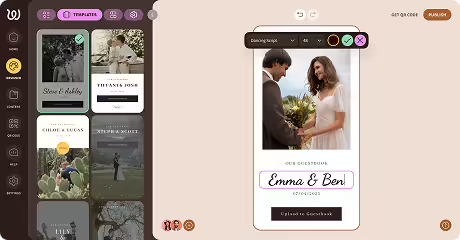
Digital guestbook interface with a photo of a smiling bride and groom, text input labeled 'Emma & Ben', and a date 07/04/2025 with an upload button below.

Build Your Wedibox Event Page

Takes five minutes. Add your names, date, and customize the look.

Choose Website TEmplate

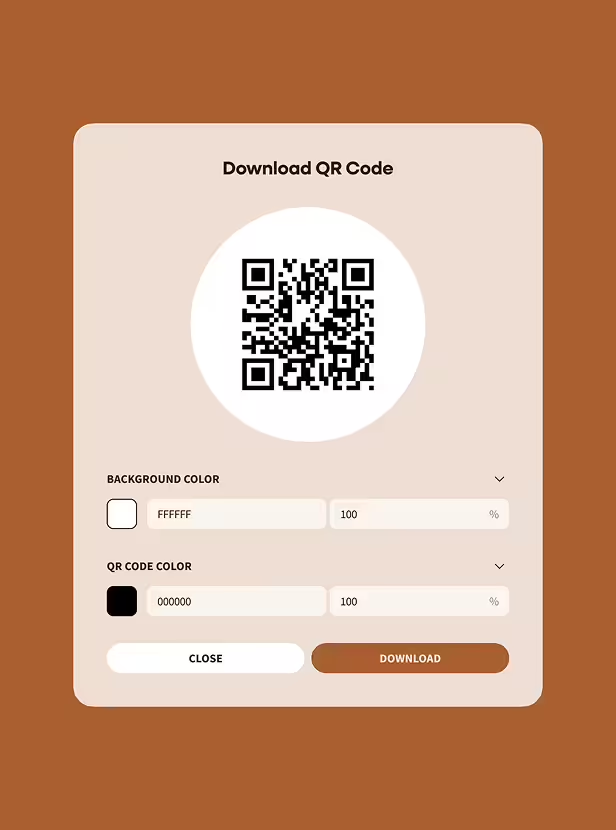
Interface for downloading a QR code with options to customize background color and QR code color, featuring close and download buttons.

Display Your QR Code at the Venue

Print it on table cards, frame it near the bar, include it on your welcome sign. Guests scan with their phone camera.

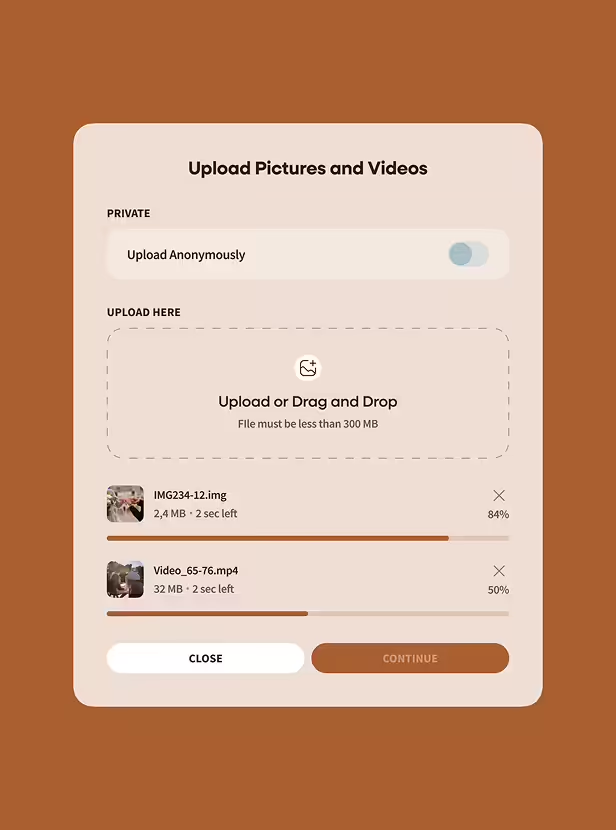
Upload interface with toggle for anonymous upload, drag-and-drop area, and progress bars for two files uploading.

Guests Upload Photos and Videos

They tap, select their shots, and upload. Everything flows to your private gallery instantly.

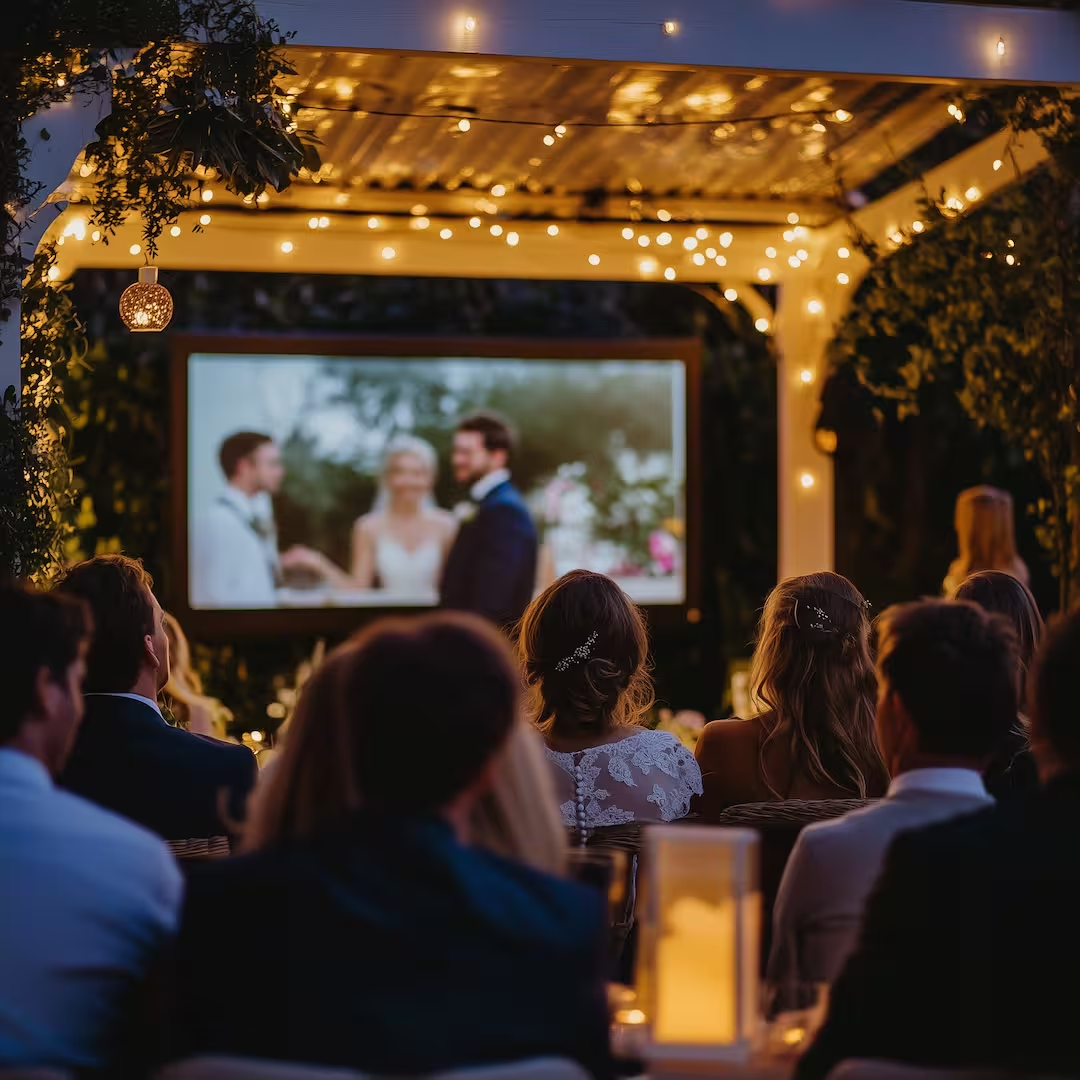
Guests seated under string lights watching a wedding slideshow outdoors at night.

Your Slideshow Updates Automatically

Each new upload joins the slideshow rotation. Guests cheer when they see their photos appear. The energy can be felt in the room.

TRy It Out Free

What Couples Like About the Live Slideshow

Captures the Day As It Happens

Pre-made slideshows show old photos. A live slideshow shows the ceremony tears, the cocktail hour hugs, the dance floor spins.

Guests Participate Without Thinking About It

Scanning a QR code takes three seconds. Uploading a photo takes five more. Guests contribute because contributing feels effortless.

You Manage Nothing During the Wedding

The slideshow runs itself. You're not collecting files, organizing, or troubleshooting tech. You're celebrating.

Wedding Slideshow Features That Matter

Instant Live Display

Uploads appear on screen within seconds of submission. 

Works On Any Screen

TVs, projectors, monitors, tablets, anything with a browser.

Adjustable Layouts

Choose display styles and transition speeds that match your aesthetic.

Moderation Controls

Review photos before they go live or let everything stream automatically.

Secure Private Gallery

Your photos stay private and accessible only to you.

Download Everything

Easily save, print, or archive all the photos and videos after the wedding.

When to Run Your Wedding Slideshow

Cocktail Hour

Early uploads get the slideshow started and boost contribution.

Person in white shirt opening a champagne bottle with others holding champagne flutes and white flowers in the foreground.

Dinner

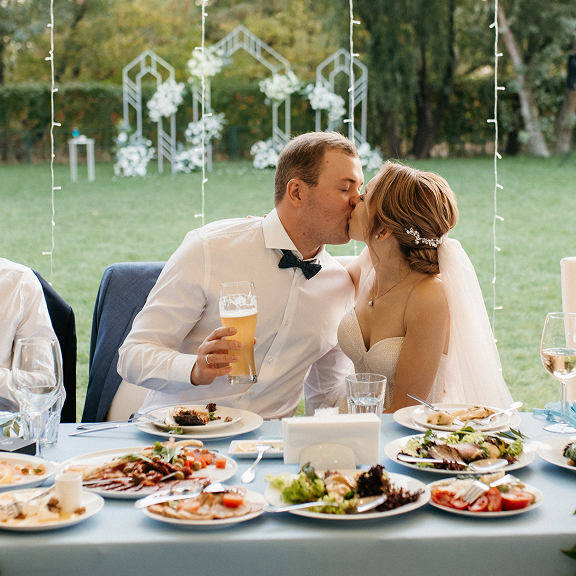
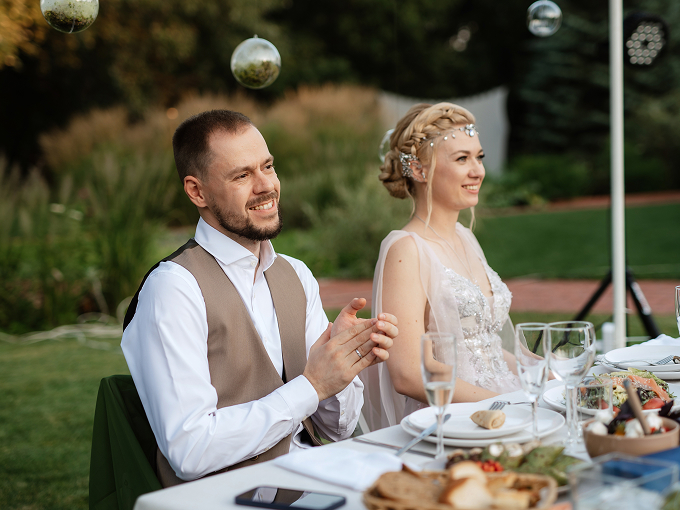
Keep it visible nearby, present without stealing attention.

Bride and groom smiling and sitting at an outdoor wedding reception table with food and glassware.

Dance Floor

This is when the best content arrives. Group shots and candid moments.

A group of people dressed in formal attire celebrating at an outdoor wedding, with bride and guest dancing in the center and others holding drinks and sparklers under string lights.

Lounge Areas

Set up a quieter display area where guests can sit and watch the slideshow loop.

A woman and a young girl with curled hair sitting on white folding chairs during wedding ceremony.

Why QR Codes Outperform Hashtags And Apps

Every Wedibox slideshow comes with a QR code guests scan to upload photos. The simpler you make participation, the more content you collect.

Guests scan and upload in seconds

Works on every smartphone without downloading anything

Older relatives and younger cousins figure it out immediately

Remote guests can upload from anywhere in the world

Bonus Tip

Put the QR code where guests naturally stop: bar line, dessert table, restroom mirror, shuttle seatback.

Your Wedding Slideshow Connects to Everything Else

The live slideshow pulls from the same gallery where guests leave guestbook messages and voice recordings. Everything works together.

Digital Guestbook

Written notes that sit beside the photos they were written around.

Audio Guestbook

Toasts and late-night messages saved in the voices you love.

Memory Timeline

A scrollable feed of the day that’s easy to revisit and download.

Wedibox keeps it all under one roof, so you’re not stitching together photos, messages, and RSVPs from five different tools.

Put the Slideshow to Work Outside the Reception

Big weddings have extra chapters. Wedibox can run the slideshow wherever people gather, so your story builds across the whole celebration.

Man pouring wine into a glass held by a woman at an outdoor table decorated with red roses and candles.

Engagement Party

Kick off with a shared gallery early and keep it rolling.

Group of smiling bridesmaids in pink dresses holding champagne glasses and floral wrist corsages.

Bridal Showers

Capture photos, notes, and little moments that never make the “official” album.

Laptop showing a smiling elderly couple clinking glasses on a video call, surrounded by party decorations including balloons and a crown.

Remote Guests

Give friends and family a way to contribute while watching from home.

Bride and groom kissing at a wedding reception table filled with plated food and drinks outdoors.

Welcome Dinner and Brunch

Keep uploads organized by event, so the weekend doesn’t blur together.

The same QR code works throughout. Your wedding gallery grows across every event.

Six Tips for Getting the Most Uploads

Tip 1

Position Your Screen Where People Gather

Near the bar, beside the dance floor, visible from dinner tables.

Tip 2

Have Your MC and DJ Mention It

A quick announcement reminds guests the slideshow exists.

Tip 3

Clear Signage

Include "Scan to add your photos to our slideshow" to QR code signage.

Tip 4

Encourage Uploads All Night

Guests who upload once often forget to upload again.

Tip 5

Send a Day-After Text With Your QR Link

Guests who forgot to upload will share their best photos the next morning.

Tip 6

Review Before Display If You Prefer

Moderation keeps the slideshow wedding-appropriate all night.

How Wedibox Compares to Alternatives

Feature

Live guest uploads

QR code access

Instant slideshow updates

Works on all screens

Custom branding & layout

Downloadable media & slideshow

Wedibox

Google Photos

Limited

Manual

The Knot

Limited

Some

Traditional shared albums require logins and accounts. Wedibox captures photos in the moment, displays them live, and stores everything privately.

A Wedding Slideshow Built for Phones, Champagne, and Short Attention Spans

Weddings don’t pause for tech. People bounce from ceremony to cocktails to dance floor. Phones die. Messages get lost. The best photos end up trapped in someone’s camera roll. Wedibox fits the way the day unfolds.

Uploads happen instantly, not weeks later

Guests contribute without accounts or downloads

Your memories collect in a private, organized gallery

About Wedibox

Wedibox helps couples collect wedding memories through a Wedding QR Code, then keeps everything together in one place. Trusted by 100,000 couples around the world, Wedibox has:

Saved 100M+ photos, videos, and messages from guests

Used across every size, type, and style of wedding

Been used in 50+ countries

Our focus is simple: less follow-up work for you, more memories you’ll want to revisit.

One QR Code Connects Every Part of Your Wedding

Your wedding slideshow connects to everything else Wedibox offers. Guests scan once and access it all.

Guest Photo & Video Uploads

Your guests capture moments you'll never see yourself. Give them a way to share those photos and videos directly to your private gallery.

Collect Wedding Photos

RSVP Collection

Guests scan, tap yes or no, and they're done. You watch responses roll into your dashboard while everyone else refreshes their spreadsheet for the 40th time.

QR Code for Wedding RSVP

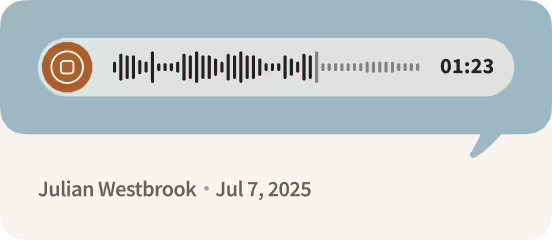
Audio message playback bar showing a duration of 1 minute and 23 seconds, with sender Julian Westbrook and date July 7, 2025.

Audio Guestbook

Hear your grandmother's blessing. Your best friend's terrible toast. The voices of people you love, recorded in the moment and saved forever.

Audio Guestbook for Wedding

Digital Guestbook

Paper guestbooks get "Congrats! So happy for you!" and a signature. Digital guestbooks get stories. Memories. Inside jokes. Messages guests took time to write.

Explore Digital Guestbook

User interface showing wedding invitation templates on the left and a preview of a customizable wedding invitation for Emma & Ben on the right.

Wedding Website

Your schedule lives here. Your love story lives here. Your RSVP link, photo gallery, and every detail guests keep asking about. Guests visit once and find what they need.

Build Your Wedding Website

Registry

Connect your registry so guests can scan and shop. Whether you're registered at one store or five, everything lives behind one QR code.

QR Code for Wedding Regisrty

Voices, photos, messages, RSVPs. Every memory flows to the same place with Wedibox.

Frequently Asked Questions

Can I use this for events besides my wedding day?

Yes. Engagement parties, rehearsal dinners, and post-wedding brunches all work with the same QR code and gallery.

Can I download photos after the wedding?

Yes. Your complete gallery is available for download in full quality anytime after your event.

Is my gallery private?

Completely. Only you control access to your photos and uploads.

Can I review photos before they display?

Yes. Moderation tools let you approve uploads before they appear on screen, or you can let everything stream automatically.

What equipment do I need?

Any screen with an internet connection. TVs, monitors, projectors, and tablets all work.

How do guests upload photos?

They scan your QR code with their phone camera, tap the link, select photos, and upload. Takes under fifteen seconds.

Watch Your Wedding Unfold on Screen

Turn on your Wedibox slideshow, share your Wedding QR Code, and let guests upload as the moments happen. Let’s build a wedding slideshow that captures your celebration from every seat in the room.

Start Your Slideshow

Wedibox Setup Guide

Still Wondering If It's Right for You?

Explore all features or reach out to us — we're here to help.

Main

  • Pricing
  • how it works
  • Partner Program
  • Made For weddings
  • Blog
  • reviews

Company

  • About Us
  • Contact Us
  • Cookie Policy
  • Cookie settings
  • Terms & Conditions
  • Privacy Policy
Wedibox logotype light

© 2026 Wedibox LLC All rights reserved

Your Cookie Preferences

We use cookies to ensure the proper functioning of our website and to provide you with the best possible user experience. Cookies help us understand how visitors interact with our site, allowing us to analyze traffic, improve performance, and remember your preferences. Some cookies are used to deliver personalized advertisements tailored to your interests. You can choose to accept all cookies, reject unnecessary ones, or customize your preferences at any time. For more information about the types of cookies we use and how we process your data, please review our Cookie Policy and Privacy Policy.

Accept All

Reject All

customize Cookies

Choose Your Cookies

Necessary (always active)

Essential for site functions like login and cart.

Analytics

Show us what’s popular to improve the site.

Marketing / Ads

Help display relevant offers and ads.

Functional / Preferences

Remember choices like language.

Reject All

Accept All

Save my choices

Your Request Has Been Saved

Your personal information will not be sold.

Undo

OK

Let's Get Started

Your wedding QR code for everything that matters.

Thanks for Your Message, John

We’ll contact you soon to explore opportunities.

Oops! Something went wrong while submitting the form.

Error:

Continue

Already have an account? Sign In or Try Our Demo