how it works
features
Photo SharingAlbumsDigital GuestbookAudio GuestbookSeating ChartShared PlaylistLive SlideshowRSVPRegistry SharingWedding Website
designs
Wedding Website TemplatesQR Code Sign Templates
resources
Made For WeddingsAbout UsBlogAffiliate ProgramVideo TutorialsContact Us
pricing

log in

Try Free Demo

how it works
features
Photo SharingAlbumsDigital GuestbookAudio GuestbookSeating ChartShared PlaylistLive SlideshowRSVPRegistry SharingWedding Website
designs
Wedding Website TemplatesQR Code Sign Templates
resources
Made For WeddingsAbout UsBlogAffiliate ProgramVideo TutorialsContact Us
pricing

log in

Try Free Demo

Your Wedding Playlist, Built by the People Dancing to It

Guests scan a QR code and suggest songs they want to hear. You approve the ones that fit and pass the final set to your DJ without juggling messages and requests.

Create Your Shared Playlist

See How It Works

Create Unlimited Playlists

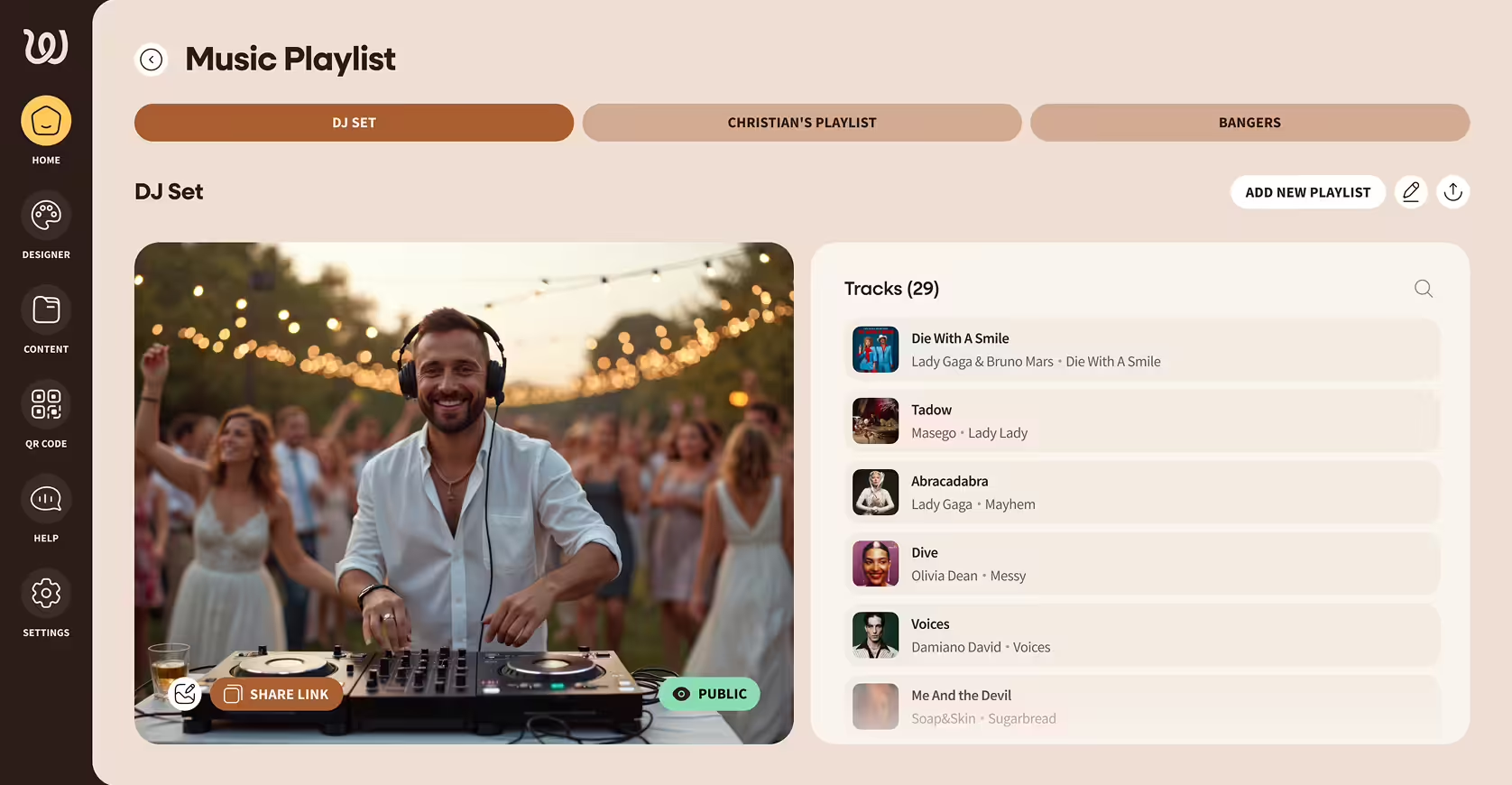
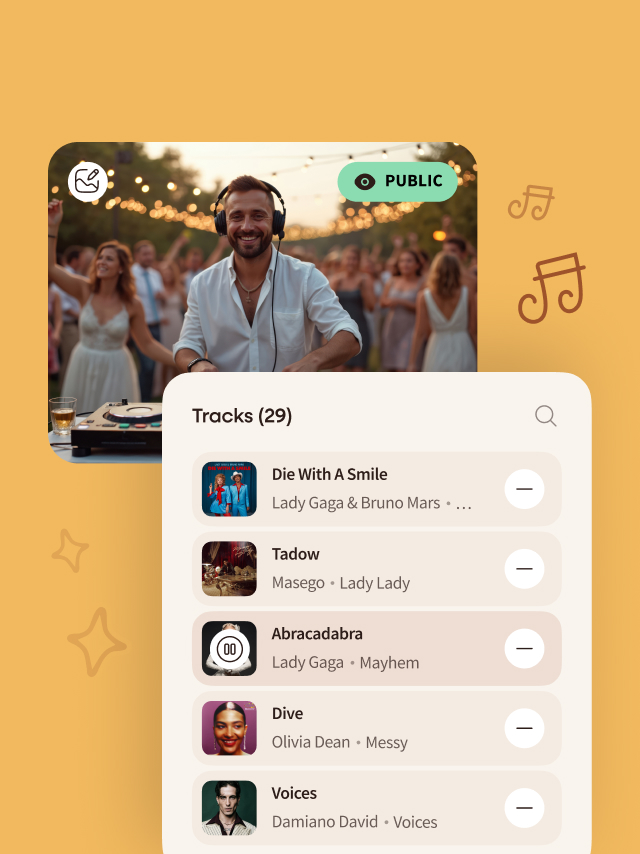
Music playlist interface showing a DJ smiling and mixing tracks at an outdoor event, with a list of 29 songs including Die With A Smile, Tadow, and Abracadabra.Mobile interface of Wedibox music playlist showing DJ set with a smiling DJ wearing headphones at an outdoor party, playlist options, and track list including songs by Lady Gaga and Bruno Mars.

Create Unlimited Playlists

Guests Add Songs Instantly

Guests Add Songs Instantly

A Playlist for Weddings That Reflects Your Guest List

Music is one of the few parts of a wedding everyone feels at the same time. The right song can pull people onto the dance floor. The wrong one can empty it.

Wedibox lets guests submit song requests through a QR code. They scan, type a song, and the suggestion appears in your dashboard. You see every request, approve what fits, and ignore what doesn't.

Think of it as a digital request box you control. Guests feel involved. You get to save hours creating a wedding playlist that everybody will love.

Set Up Your Shared Playlist in Minutes

Here’s how simple the process is.

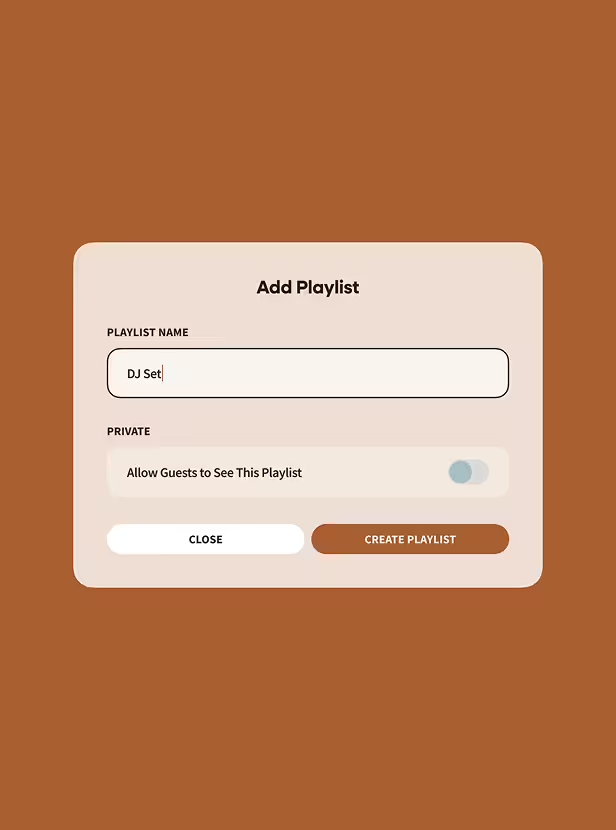
User interface screen with 'Add Playlist' title, a text field labeled 'Playlist Name' filled with 'DJ Set', a toggle switch for 'Allow Guests to See This Playlist' set to off, and buttons labeled 'Close' and 'Create Playlist'.

Create a playlist in your Wedibox dashboard. Make one master list or separate playlists by moment (ceremony, cocktail hour, reception).

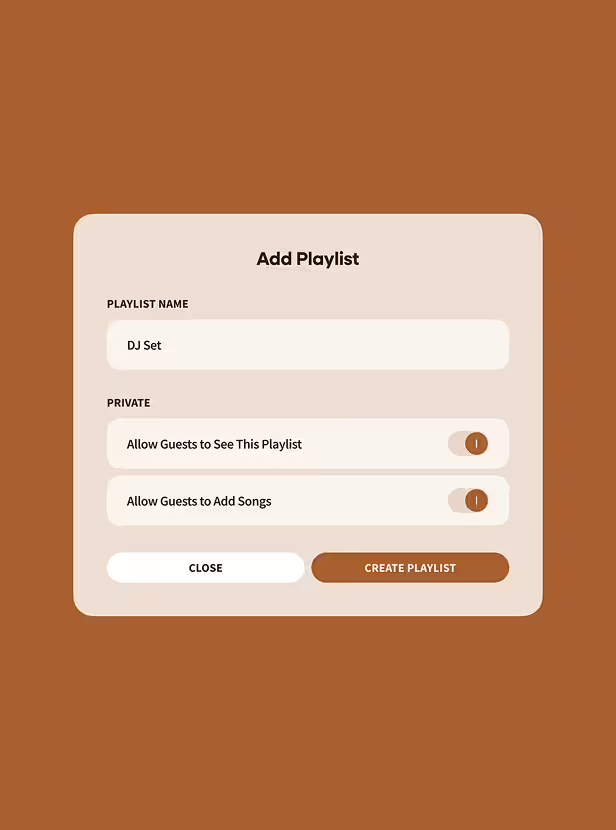
Interface for adding a playlist named 'DJ Set' with options to allow guests to see the playlist and add songs, both toggled on, plus Close and Create Playlist buttons.

Turn on guest suggestions with a simple on/off toggle.

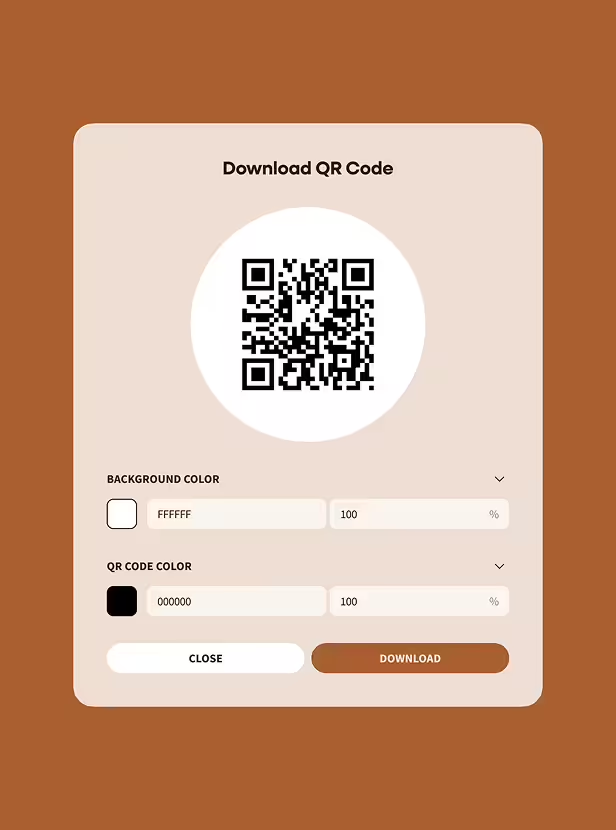
Interface for downloading a QR code with options to customize background color and QR code color, featuring close and download buttons.

Generate a QR code and short link for each playlist.

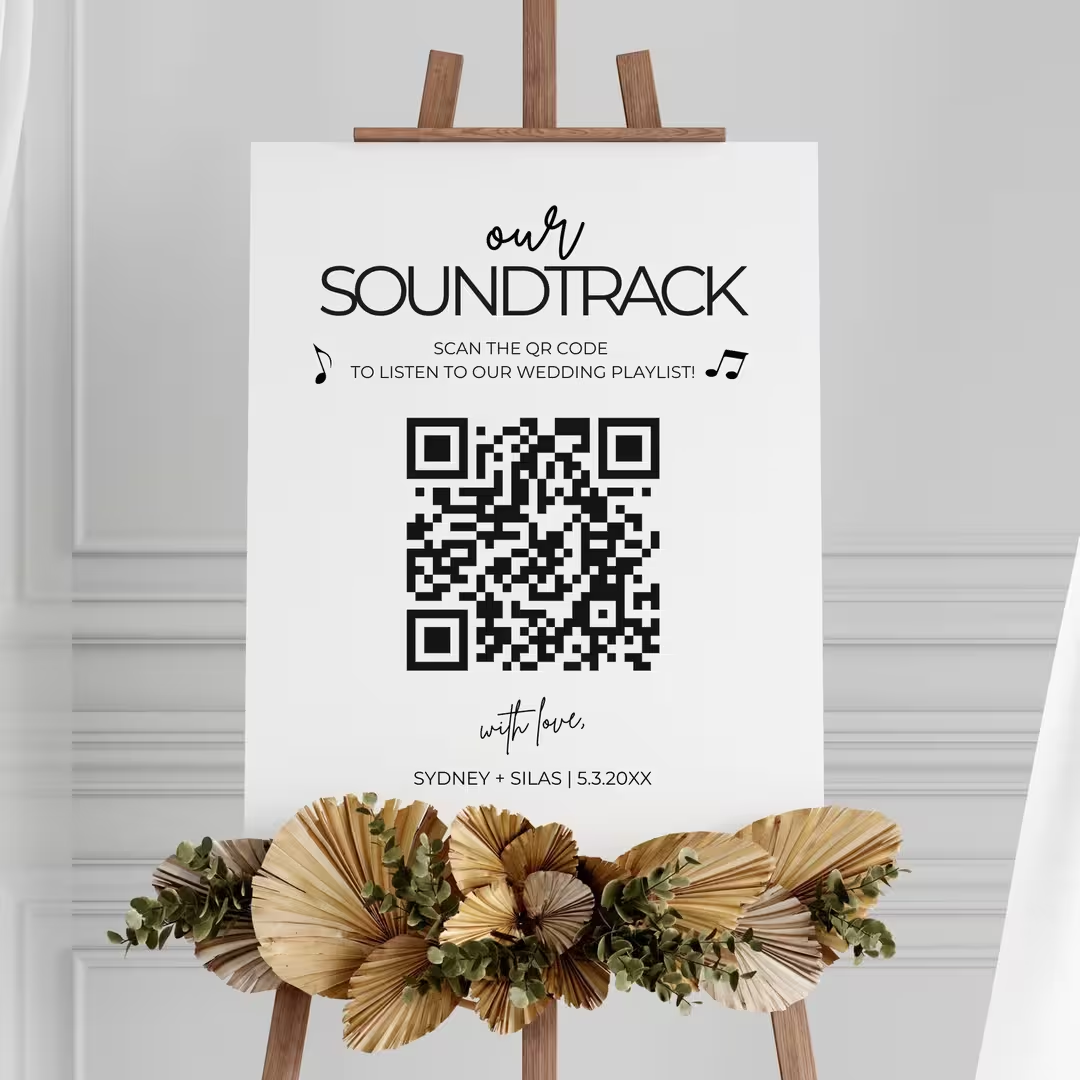
White sign on wooden easel with a QR code and text inviting guests to scan for a wedding playlist, decorated with dried palm leaves and eucalyptus.

Display the code on your wedding website, RSVP cards, or table signage.

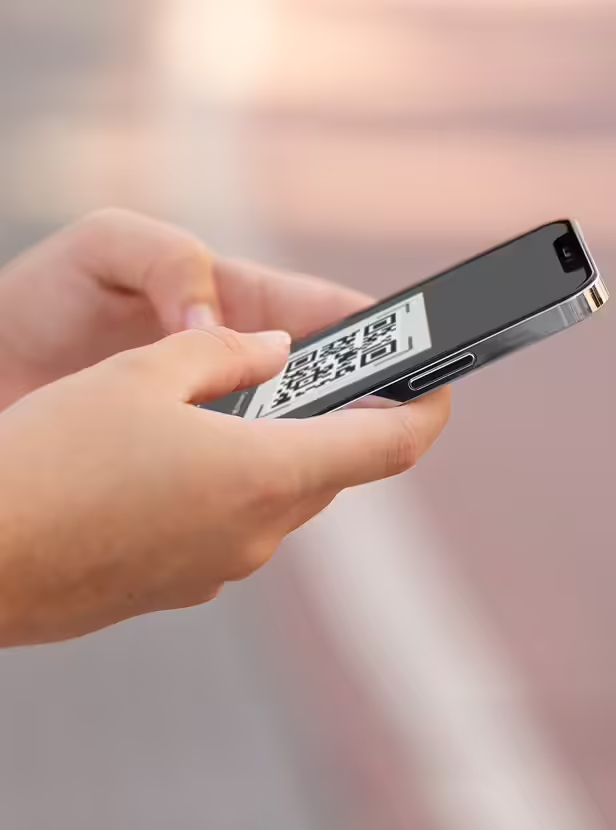
Person holding a smartphone displaying a QR code on the screen.

Guests scan with their phone camera and submit songs. They don't download anything or create an account.

Suggestions arrive in your dashboard. You decide what makes the final cut.

Try Our Free Demo

Download QR Signage Templates

Problems Solved By A Shared Playlist For Weddings

Solving Common Wedding Music Struggles

I have no idea what songs to pick.

Guest suggestions give you a starting point. You'll discover songs you forgot about and tracks you never knew your friends loved.

Half my guests are over 60. Half are under 30.

When guests choose their own songs, your playlist automatically spans generations. You don't have to guess what appeals to everyone.

The dance floor always dies at weddings I attend.

People dance to music they requested. When guests see their song come on, they're already heading to the floor.

Collecting song requests is a mess.

Forget the Google Form nobody fills out. Forget the Instagram DMs you lose track of. Every suggestion lands in one dashboard.

We hired a DJ already.

Perfect. Hand your DJ a curated list informed by your guests. They'll know exactly what energy to bring.

What if guests suggest terrible songs?

You approve every song before it hits your playlist. Weird requests get ignored. Your taste stays intact.

Build Playlists for Every Part of Your Wedding

Different moments need different music. Create separate playlists and let guests contribute to each.

Ceremony

Processional and key moments, curated and calm.

Cocktail Hour

Easy background music while guests mingle and chat.

Dinner

Mood-setting tracks that won’t drown out conversation.

First Dances and Dedications

Spotlight songs you choose for key moments.

Open Dancing

Guest requests shine here, filling the dance floor.

Late Night and Afterparty

High-energy picks to close the night strong.

Using Spotify or Apple Music instead of a DJ? Export your Wedibox playlist and load it directly into your streaming app.

Smiling DJ wearing headphones at an outdoor party with a dancing crowd behind, alongside a music playlist displaying five tracks by various artists.

Works for Guests Who Hate Apps

The entire process takes fifteen seconds.

Guests scan a QR code with their phone camera. A browser page opens. They type a song title and artist, tap submit, and they're done.

There's nothing to download, nothing to sign up for, and nothing that confuses your least tech-savvy relatives. Put a sign next to your QR code: "Scan to request a song for our playlist."

How to Build a Playlist for Weddings That Keeps People Dancing

Advice from DJs, planners, and couples who've done this before.

Lock in your non-negotiables first. First dance, entrance song, parent dances. These aren't up for suggestions.

Let guests fill in the gaps. Open dancing and late-night playlists benefit most from crowd input.

Mix eras and genres. Your 28-year-old coworkers and your 65-year-old aunt should both hear something they recognize.

Create a "do not play" list. Songs you hate stay off the playlist no matter how many people request them.

Share your final list with your DJ or MC. Give them a clean export so they're not guessing.

Wedibox keeps everything organized. Export when you're ready. 

Why is Wedibox Better Than Google Forms and Spotify Playlists?

Google Forms get ignored. Spotify collaborative playlists get cluttered with songs you'd never play. Wedibox gives you requests you can moderate and a playlist that stays under your control.

Feature

QR code for guest song requests

No app or login required for guests

Built for non-tech-savvy guests

Couple has full control/moderation

Integrated into your wedding platform

Wedibox

Google Forms

Partial

Spotify

Collaborative Playlist

Wedibox isn’t a workaround — it's built specifically for weddings.

Get Started For Free

What You Get With Wedibox Music Playlists

Replace shouted requests with a “song inbox”

Keep ceremony music protected from chaos

Works globally, on any device

Separate playlists by moment so energy builds

Review suggestions later instead of deciding on the spot

Hand your DJ a ready-to-use set list

Frequently Asked Questions

FAQs About Sharing Playlist with Wedibox

Can guests see what others have requested?

You decide. Keep the list private or let guests browse suggestions in real time.

Can I turn off requests after a certain date?

Yes. Disable the submission feature whenever you want and keep your playlist locked.

Does this work if we have a live band or DJ?

Absolutely. Your DJ or bandleader will appreciate having a curated list informed by your guests.

Let Guests Drop Playlist Requests. You Keep Control.

Song requests always happen. The question is whether they show up as shouted suggestions and random texts, or in one place you can review.

With Wedibox Shared Playlist:

Guests send requests without interrupting you or the DJ

You keep the energy up all night long

You filter out the songs that don’t fit your special day

Your DJ gets a clean list, not a pile of screenshots

Build a wedding playlist that your guests help shape, and you curate.

Create Your Shared Playlist Now

Still Wondering If It's Right for You?

Explore all features or reach out to us — we're here to help.

Main

  • Pricing
  • how it works
  • Partner Program
  • Made For weddings
  • Blog
  • reviews

Company

  • About Us
  • Contact Us
  • Cookie Policy
  • Cookie settings
  • Terms & Conditions
  • Privacy Policy
Wedibox logotype light

© 2026 Wedibox LLC All rights reserved

Your Cookie Preferences

We use cookies to ensure the proper functioning of our website and to provide you with the best possible user experience. Cookies help us understand how visitors interact with our site, allowing us to analyze traffic, improve performance, and remember your preferences. Some cookies are used to deliver personalized advertisements tailored to your interests. You can choose to accept all cookies, reject unnecessary ones, or customize your preferences at any time. For more information about the types of cookies we use and how we process your data, please review our Cookie Policy and Privacy Policy.

Accept All

Reject All

customize Cookies

Choose Your Cookies

Necessary (always active)

Essential for site functions like login and cart.

Analytics

Show us what’s popular to improve the site.

Marketing / Ads

Help display relevant offers and ads.

Functional / Preferences

Remember choices like language.

Reject All

Accept All

Save my choices

Your Request Has Been Saved

Your personal information will not be sold.

Undo

OK

Let's Get Started

Your wedding QR code for everything that matters.

Thanks for Your Message, John

We’ll contact you soon to explore opportunities.

Oops! Something went wrong while submitting the form.

Error:

Continue

Already have an account? Sign In or Try Our Demo